Toshiba PA5120U 1BRS 67Wh Battery Replacement
Find the perfect replacement battery for your Toshiba laptop with our comprehensive compatibility guide for Australian and New Zealand users.
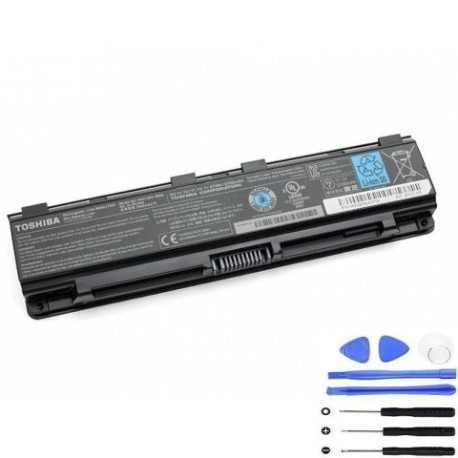
Battery models & part numbers
| Reference / P/N |
|---|
| Toshiba-PA5120U-1BRS-67Wh |
Compatible laptop models
| Model |
|---|
| Toshiba G71C000FY110 |
| Toshiba P000583370 |
| Toshiba P000660900 |
| Toshiba P000697250 |
| Toshiba P71C000FY5AA |
| Toshiba PABAS275 |
| Toshiba Tecra W50-A |
Introduction
The Toshiba PA5120U 1BRS 67Wh battery is a high-quality replacement designed specifically for compatible Toshiba laptop models. This 67Wh capacity battery provides reliable power for your mobile computing needs across Australia and New Zealand.
Common signs you need a replacement
| Symptom | Cause | Verification | Recommendation |
|---|---|---|---|
| Battery drains quickly | Reduced capacity from age/cycles | Check battery health in system settings | Consider replacement if under 50% capacity |
| Laptop won’t hold charge | Failed battery cells | Test with power adapter disconnected | Immediate replacement needed |
| Battery swelling | Internal damage or overheating | Visual inspection of battery compartment | Replace immediately for safety |
| Overheating during use | Inefficient battery operation | Monitor temperature with software tools | Replace to prevent damage |
How to check compatibility
Verify your laptop model matches one of the compatible models listed above. Check your laptop’s bottom label or system information to confirm the exact model number. The Toshiba PA5120U 1BRS battery is specifically designed for these authorised models.
When to replace
Replace your battery when it no longer holds sufficient charge for your needs, shows physical damage, or reaches 2-3 years of regular use. Most laptop batteries maintain optimal performance for 300-500 charge cycles before capacity diminishes.
Installation guide (overview)
Power off your laptop and disconnect the AC adapter. Remove the battery compartment cover (if applicable) and carefully disconnect the old battery. Align the new battery connectors and secure it in place. Reattach any covers and power on your device.
Usage & care tips
For optimal battery life, avoid complete discharges and store your laptop in temperatures between 10°C and 35°C. Regular use helps maintain battery health. Keep connectors clean and avoid physical impacts to the battery compartment.
Safety & recycling in AU/NZ
Always purchase from authorised retailers. Damaged batteries should be disposed of properly at designated e-waste recycling centres. In Australia and New Zealand, many electronics retailers offer free battery recycling services.
FAQ
How long does this battery last on a single charge?
The 67Wh capacity typically provides 3-5 hours of standard usage depending on your laptop model and power settings.
Is this battery compatible with my Toshiba Tecra W50-A?
Yes, the Toshiba Tecra W50-A is specifically listed as a compatible model for this replacement battery.
What warranty does this battery come with?
Most quality replacement batteries include a 12-month warranty covering manufacturing defects.
Can I use this battery if my original had a different part number?
Only if your laptop model is specifically listed in the compatibility table above.
How do I properly dispose of my old battery in Australia?
Take it to any Battery World store or council e-waste recycling centre for safe disposal.
Will this battery work with my laptop’s power management software?
Yes, it’s designed to be fully compatible with Toshiba’s power management systems.
What’s the delivery time to New Zealand?
Most retailers offer 5-10 business day delivery to major centres in New Zealand.