Lenovo 45N115157 57Wh Battery Replacement
Is your Lenovo ThinkPad not holding charge like it used to? Our genuine replacement battery restores peak performance for your laptop. Authorised for multiple ThinkPad models, it’s the reliable power solution you need.
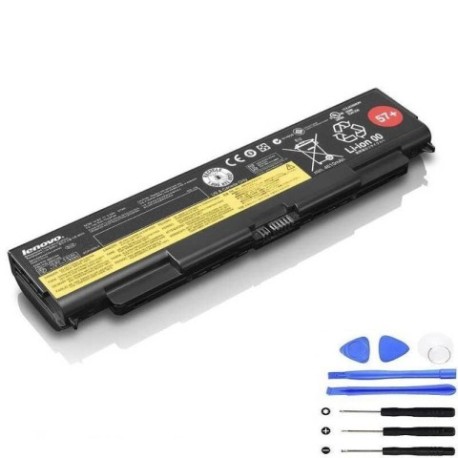
Battery models & part numbers
| Reference / P/N |
|---|
| 0C52863 |
| 0C52864 |
| 45N1144 |
| 45N1145 |
| 45N1146 |
| 45N1147 |
| 45N1148 |
| 45N1149 |
| 45N1150 |
| 45N1152 |
| 45N1153 |
| 45N1158 |
| 45N1159 |
| 45N1160 |
| 45N1161 |
| 45N1163 |
| 45N1769 |
| 45N1771 |
| 45N1779 |
| 57 |
| 57+ |
| 57++ |
| 5B10W13948 |
| 5B10W13949 |
| Lenovo-45N115157-57Wh |
Compatible laptop models
| Model |
|---|
| Lenovo ThinkPad L440 |
| Lenovo ThinkPad L440 (20AS) |
| Lenovo ThinkPad L440 (20AT) |
| Lenovo ThinkPad L540 (20AU/20AV) |
| Lenovo ThinkPad T440p (20AN/20AW) |
| Lenovo ThinkPad T440p (78995) |
| Lenovo ThinkPad T540 (20BE) |
| Lenovo ThinkPad T540 (20BF/20BE) |
| Lenovo ThinkPad T540p (20BF/20BE) |
| Lenovo ThinkPad W540 (20BG/20BH) |
| Lenovo ThinkPad W541 (20EF/20EG) |
Common signs you need a replacement
| Symptom | Possible Cause | How to Verify | Recommendation |
|---|---|---|---|
| Battery drains quickly | Reduced capacity from age/cycles | Check battery health in system settings | Consider replacement if under 50% capacity |
| Laptop won’t power on without charger | Battery no longer holding charge | Try starting with battery only | Replace battery immediately |
| Swelling or bulging case | Internal battery damage | Visual inspection of battery compartment | Stop using and replace urgently |
| Overheating during use | Failing battery cells | Monitor temperature with software | Replace to prevent damage |
How to check compatibility
Verify your laptop model matches our compatibility list above. Check your current battery’s part number (usually printed on the battery) against our reference numbers. For certainty, consult your laptop’s documentation or use Lenovo’s online support centre.
When to replace
Replace your battery when it holds less than 60% of its original capacity, shows physical damage, or causes power issues. Most lithium-ion batteries last 2-4 years with regular use.
Installation guide (overview)
1. Power off laptop and disconnect charger
2. Remove the main battery compartment cover
3. Disconnect the battery connector
4. Remove old battery
5. Insert new battery and reconnect
6. Replace cover and power on
Usage & care tips
• Avoid complete discharges – recharge at 20-30%
• Store between 15-25°C when not in use
• Don’t leave plugged in constantly
• Calibrate monthly by full discharge/recharge cycle
Safety & recycling in AU/NZ
Never disassemble batteries. Dispose of old batteries at authorised recycling centres. In Australia, use Batteryback or council collection points. In New Zealand, use recognised e-waste recyclers. Never place in household rubbish.
FAQ
How long does delivery take in Australia?
Most metro areas receive orders within 3-5 business days.
Is this battery genuine Lenovo?
Yes, this is an authorised Lenovo replacement part with full compatibility.
What’s the warranty period?
This battery comes with a 12-month warranty covering manufacturing defects.
Can I use this with newer ThinkPad models?
No, this battery is specifically designed for the compatible models listed above.
How do I check my current battery’s health?
Use Windows Battery Report or Lenovo Vantage software for detailed diagnostics.
Is installation difficult?
Most users can install in under 10 minutes following our guide. No special tools required.
What if my model isn’t listed?
Contact our support team with your laptop’s exact model number for verification.