Fujitsu FMVNBP213 48Wh Laptop Battery Replacement
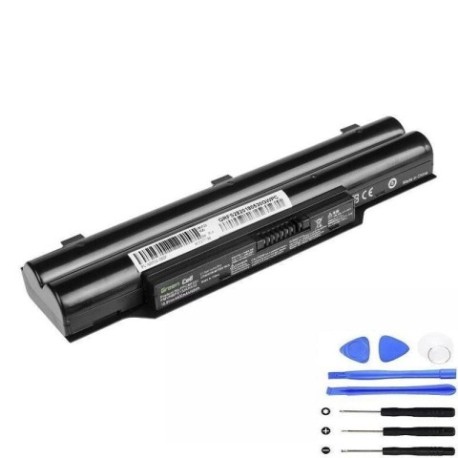
Battery models & part numbers
| Reference / P/N |
|---|
| 34038073 |
| 34038074 |
| 34040003 |
| CP515782-01 |
| CP515782-02 |
| CP515782-XX |
| FPCB331 |
| FUJ:CP515782 |
| FUJ:CP515782-01 |
| FUJ:CP515782-02 |
| FUJ:CP515782-XX |
| FUJ:CP567389-XX |
| FUJ:CP567717-XX |
| Fujitsu-FMVNBP213-48Wh |
Compatible laptop models
| Model |
|---|
| Fujitsu LifeBook A512 |
| Fujitsu LifeBook A532 |
| Fujitsu LifeBook AH502 |
| Fujitsu LifeBook AH512 |
| Fujitsu LifeBook AH532 |
| Fujitsu LifeBook AH532 GFX |
| Fujitsu LifeBook AH562 |
Introduction
Keep your Fujitsu laptop running at peak performance with our genuine replacement battery. The FMVNBP213 48Wh battery is designed specifically for Fujitsu LifeBook models and delivers reliable power for work, study, or entertainment.
Common signs you need a replacement
| Symptom | Cause | Verification | Recommendation |
|---|---|---|---|
| Battery drains quickly | Ageing cells, reduced capacity | Check battery health in system settings | Replace if capacity below 60% |
| Laptop won’t hold charge | Failed battery cells | Test with power adapter disconnected | Immediate replacement needed |
| Battery swelling | Internal damage, safety hazard | Visual inspection, case separation | Stop use immediately, replace |
| Overheating during use | Internal resistance increase | Monitor temperature above 45°C | Replace to prevent damage |
How to check compatibility
Verify your laptop’s compatibility by checking the part number on your existing battery or consult your laptop’s documentation. Cross-reference with our compatibility tables above to ensure perfect fit and performance.
When to replace
Replace your battery when you notice significant performance degradation, typically after 2-3 years of regular use. Most batteries show reduced capacity after 300-500 charge cycles.
Installation guide (overview)
1. Power off laptop and disconnect charger
2. Remove the battery compartment cover
3. Carefully disconnect the old battery
4. Insert new battery and secure connections
5. Replace cover and charge fully before first use
Usage & care tips
• Avoid complete discharge cycles
• Store in cool, dry conditions (15-25°C)
• Charge before storage if not used for extended periods
• Use authorised chargers only
• Keep contacts clean and free of debris
Safety & recycling in AU/NZ
Batteries must be recycled responsibly. In Australia and New Zealand, take used batteries to authorised collection centres. Never dispose of batteries in household waste due to environmental hazards.
FAQ
How long does delivery take in Australia?
Most orders delivered within 3-7 business days across Australia and New Zealand.
Is this battery genuine Fujitsu?
Yes, this is an authentic Fujitsu replacement battery with full compatibility.
What warranty do you offer?
All our batteries come with a 12-month warranty covering manufacturing defects.
Can I use this battery with different Fujitsu models?
Only with the compatible models listed in our compatibility table above.
How do I maximise battery life?
Avoid extreme temperatures, don’t overcharge, and perform regular full discharge cycles monthly.
What if the battery doesn’t fit my laptop?
Double-check your model number and part number against our compatibility guide.
Do you ship to regional areas?
Yes, we ship to all Australian states and territories, including regional centres.