Samsung AA-PBYN8AB 45Wh Laptop Battery
Find the perfect replacement battery for your Samsung laptop with our comprehensive compatibility guide and installation tips for Australian and New Zealand users.
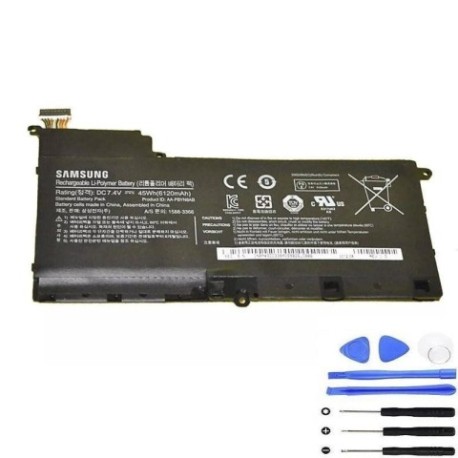
Battery models & part numbers
| Reference / P/N |
|---|
| BA43-00339A |
| Samsung AA-PBYN8AB |
| Samsung-AA-PBYN8AB-45Wh |
Compatible laptop models
| Model |
|---|
| Samsung 5 530U4B NP530U4Bs |
| Samsung 5 530U4C NP530U4Cs |
| Samsung 5 535U4C NP535U4Cs |
Introduction
The Samsung AA-PBYN8AB 45Wh battery is designed to provide reliable power for compatible Samsung laptop models. This high-quality replacement ensures your device maintains optimal performance throughout your workday.
Common signs you need a replacement
| Symptoms | Causes | Verification | Recommendation |
|---|---|---|---|
| Battery drains quickly | Ageing cells, reduced capacity | Check battery health in system settings | Consider replacement if under 2 hours runtime |
| Laptop won’t hold charge | Failed battery cells | Test with power adapter disconnected | Immediate replacement needed |
| Battery swelling | Internal damage, overheating | Visual inspection of battery compartment | Replace immediately for safety |
| Overheating during use | Inefficient power delivery | Monitor temperature with system tools | Replace to prevent damage |
How to check compatibility
Verify your laptop model matches our compatibility list above. Check your current battery’s part number (usually printed on the battery itself) or consult your laptop’s documentation. For Australian and New Zealand users, ensure you’re purchasing from authorised retailers for warranty protection.
When to replace
Replace your battery when runtime drops below 60% of original capacity, you notice physical swelling, or the battery no longer holds a charge. Most laptop batteries last 2-3 years with regular use before requiring replacement.
Installation guide (overview)
1. Power off your laptop and disconnect the charger
2. Remove the battery compartment cover
3. Disconnect the old battery connector
4. Insert the new Samsung AA-PBYN8AB battery
5. Reconnect the battery connector and replace the cover
6. Charge fully before first use
Usage & care tips
• Avoid complete discharges – recharge when battery reaches 20%
• Store in cool, dry conditions (15-25°C ideal)
• Calibrate your battery monthly by fully charging then discharging
• Use original Samsung chargers for optimal performance
• Keep battery contacts clean and free from dust
Safety & recycling in AU/NZ
In Australia and New Zealand, laptop batteries must be recycled responsibly. Do not dispose of in household waste. Visit your local council recycling centre or use battery recycling programs available at major electronics retailers. Damaged or swollen batteries should be handled with care and recycled immediately.
FAQ
How long does this battery last on a full charge?
Up to 4-6 hours depending on usage and laptop settings.
Is this battery compatible with my Samsung 5 series laptop?
Yes, if your model matches our compatibility list above.
Does this come with a warranty in Australia?
Yes, authorised retailers typically provide 12-month warranties.
How do I properly dispose of my old battery?
Take it to any battery recycling point at major electronics stores.
Can I use this battery with non-Samsung chargers?
We recommend using original Samsung chargers for safety and performance.
What’s the battery capacity in watt-hours?
This is a 45Wh battery designed for optimal performance.
How long does shipping take to NZ addresses?
Typically 5-7 business days for most New Zealand locations.