Battery models & part numbers
| Reference / P/N |
|---|
| PA5170U-1BRS |
| Toshiba-PA5170U-1BRS-24Wh |
Compatible laptop models
| Model |
|---|
| Toshiba G71C000GN110 |
| Toshiba P000591910 |
| Toshiba PABAS279 |
| Toshiba Satellite NB10 |
| Toshiba Satellite NB10-A |
| Toshiba Satellite NB10T-A |
| Toshiba Satellite NB15 |
| Toshiba Satellite NB15-A |
| Toshiba Satellite Pro NB10-A |
| Toshiba Satellite Pro NB10T-A |
Introduction
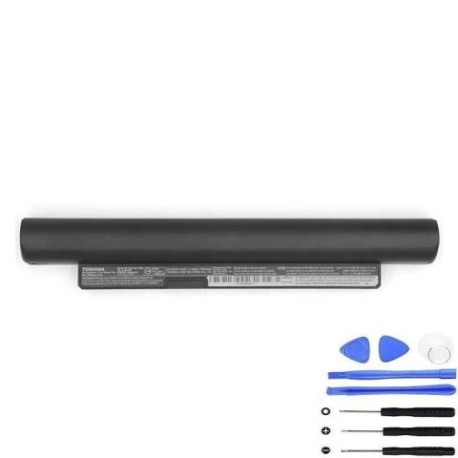
Keep your Toshiba laptop running smoothly with our genuine replacement battery. The PA5170U-1BRS 24Wh battery is designed specifically for multiple Toshiba Satellite models commonly used across Australia and New Zealand.
Common signs you need a replacement
| Symptoms | Causes | Verification | Recommendation |
|---|---|---|---|
| Battery drains quickly | Ageing cells, reduced capacity | Check power settings, monitor discharge rate | Consider replacement if under 2 hours |
| Laptop shuts down unexpectedly | Voltage drops, faulty circuitry | Test with power adapter connected | Replace immediately for data safety |
| Battery won’t charge fully | Charging circuit failure | Check charging indicator, battery health | Replace to restore full capacity |
| Battery swelling or overheating | Internal damage, safety risk | Visual inspection, temperature check | Replace urgently – safety hazard |
How to check compatibility
Verify your laptop model matches one in our compatibility table above. Check your current battery’s part number or look for model information on the bottom case of your laptop.
When to replace
Replace your battery when you notice significant performance decline, typically after 2-3 years of regular use. Don’t wait until complete failure to avoid data loss.
Installation guide (overview)
Power off your laptop and disconnect the charger. Remove the battery compartment cover, disconnect the old battery, and insert the new one securely. Always follow manufacturer guidelines.
Usage & care tips
Avoid extreme temperatures (ideal range 15-25°C). Don’t leave your laptop plugged in constantly. Calibrate your battery monthly by fully charging then discharging. Store in cool, dry conditions.
Safety & recycling in AU/NZ
Never dispose of batteries in household waste. Use authorised battery recycling centres available at most electronics retailers. In Australia, check B-cycle program locations. In New Zealand, use recognised e-waste collection points.
FAQ
How long does this battery last?
Typically 2-3 years with normal use, providing up to 4-5 hours of runtime depending on usage patterns.
Is this battery genuine Toshiba?
Yes, this is an authentic Toshiba replacement part with full compatibility assurance.
Do you ship to regional areas?
Yes, we deliver across all Australian states and throughout New Zealand, including regional areas.
What’s the warranty period?
This battery comes with a 12-month warranty covering manufacturing defects.
How do I recycle my old battery?
Take it to any Officeworks, JB Hi-Fi, or other participating retailers offering free battery recycling services.
Will this work with my specific model?
Check the compatibility table above – if your model is listed, it’s fully compatible.
How long for delivery?
Metro areas: 2-3 business days. Regional areas: 3-7 business days depending on location.