Razer F1 99Wh Replacement Battery
Keep your Razer laptop performing at its best with our genuine 99Wh replacement battery. This high-capacity battery is designed specifically for compatible Razer models and meets Australian/New Zealand safety standards.
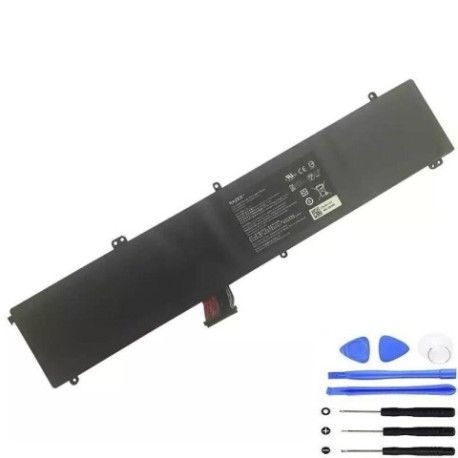
Battery models & part numbers
| Reference / P/N |
|---|
| Razer 3ICP6/87/62-2 |
| Razer 3ICP6/87/62/2 |
| Razer CN-B-7-F1 |
Compatible laptop models
| Model |
|---|
| Razer Blade F1 |
| Razer Blade Pro 17 2017 RZ09-01663 |
| Razer Blade Pro 17.3 2017 |
| Razer Blade RZ09-01663E52 |
Introduction
Your Razer laptop’s battery is essential for mobile productivity and gaming. Over time, all lithium-ion batteries degrade, but replacing yours at the right time ensures optimal performance and safety.
Common signs you need a replacement
| Symptom | Cause | Verification | Recommendation |
|---|---|---|---|
| Battery drains quickly | Reduced capacity from age/cycles | Check battery health in system settings | Replace if capacity below 70% |
| Laptop won’t hold charge | Battery no longer accepts charge | Test with power adapter connected | Immediate replacement needed |
| Battery swelling | Internal damage or overheating | Visual inspection of battery compartment | Replace immediately for safety |
| Overheating during use | Battery working harder than normal | Monitor temperature with software | Replace if consistently over 45°C |
How to check compatibility
Verify your laptop’s compatibility by checking the model number on the bottom casing or in System Information. Compare against our compatible models list above. For part numbers, check your existing battery or consult your device’s documentation.
When to replace
Replace your battery when you notice significant performance degradation (typically after 2-3 years of regular use), visible swelling, or if the battery no longer holds a charge. Don’t wait until complete failure – proactive replacement prevents unexpected downtime.
Installation guide (overview)
1. Power down and unplug your laptop
2. Remove the bottom panel using appropriate screwdrivers
3. Disconnect the battery connector from motherboard
4. Remove old battery and install new one
5. Reconnect and reassemble
Note: For detailed instructions, consult authorised service centres or professional technicians.
Usage & care tips
• Avoid extreme temperatures (ideal range: 15-25°C)
• Don’t leave laptop plugged in constantly
• Perform occasional full discharge cycles
• Store in cool, dry conditions when not in use
• Use only genuine Razer power adapters
Safety & recycling in AU/NZ
Batteries must be recycled responsibly. In Australia, use Batteryback or council e-waste services. In New Zealand, take to authorised recycling centres. Never dispose of batteries in household waste due to fire risk and environmental concerns.
FAQ
How long does this battery last?
Typically 2-3 years with normal use, or 500-800 charge cycles.
Is installation difficult?
Moderate difficulty – requires technical skill. Consider professional installation if unsure.
Does this affect my warranty?
Self-installation may void manufacturer warranty. Check your terms.
How do I recycle my old battery?
Take to any authorised e-waste recycling centre in AU/NZ.
What’s the capacity?
99Wh (8800mAh) – same as original specification.
Is this genuine Razer?
Yes, this is an authentic replacement part with original specifications.
Delivery time in Australia/NZ?
Typically 3-7 business days depending on location.