HP ZZ06 47Wh Battery Replacement Guide
Find the perfect replacement battery for your HP laptop with our comprehensive compatibility guide and expert installation advice.
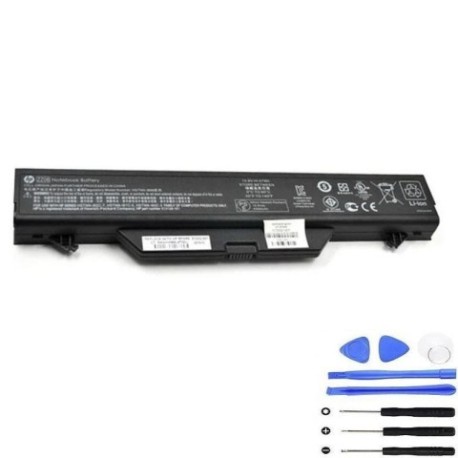
Battery models & part numbers
| Reference / P/N |
|---|
| HP 513129-161 |
| HP 572032-001 |
| HP CT:6AQVU06BJ0U0G6 |
| HP HSTNN-I60C-5 |
| HP HSTNN-I61C-5 |
| HP HSTNN-I62C-7 |
| HP HSTNN-IB88 |
| HP HSTNN-IB89 |
| HP HSTNN-XB89 |
| HP-ZZ06-47Wh.jpg |
Compatible laptop models
| Model |
|---|
| HP ProBook 4510s |
| HP ProBook 4515s |
| HP ProBook 4710s |
Introduction
Your HP laptop’s battery is essential for mobile productivity. When it starts to fail, finding the right replacement is crucial for maintaining performance and reliability.
Common signs you need a replacement
| Symptoms | Causes | Verification | Recommendation |
|---|---|---|---|
| Rapid power drain | Ageing cells | Check battery health in system settings | Replace if under 50% capacity |
| Laptop won’t hold charge | Battery memory effect | Monitor charge retention | Consider replacement |
| Swelling or bulging | Internal damage | Visual inspection | Replace immediately |
| Overheating during use | Failing components | Temperature monitoring | Replace for safety |
| Random shutdowns | Voltage instability | System diagnostics | Replace battery |
How to check compatibility
Verify your laptop model matches our compatibility list above. Check the part number on your existing battery or consult your laptop’s documentation. Cross-reference with our authorised compatibility tables for guaranteed fit.
When to replace
Replace your battery when it holds less than 50% of its original capacity, shows physical damage, or causes system instability. Most HP batteries last 2-3 years with regular use.
Installation guide (overview)
Power down your laptop and disconnect from mains. Remove the old battery by releasing the locking mechanism. Align the new battery with the connectors and secure in place. Allow full charge before first use.
Usage & care tips
Avoid extreme temperatures (ideal range 15-25°C). Don’t leave your laptop plugged in constantly. Calibrate your battery monthly by fully discharging then charging. Store in cool, dry conditions if not in use.
Safety & recycling in AU/NZ
Never attempt to open or modify batteries. Dispose of old batteries at authorised recycling centres. In Australia, use Batteryback or council collection services. In New Zealand, utilise accredited e-waste recyclers.
FAQ
How long does delivery take in Australia?
Typically 3-7 business days depending on your location.
Is this battery genuine HP?
This is a high-quality replacement battery compatible with HP specifications.
What warranty do you offer?
Our batteries come with a 12-month warranty against manufacturing defects.
Can I use this battery with newer HP models?
Only use with the compatible models listed above for optimal performance.
How do I recycle my old battery?
Take it to your local council recycling centre or authorised battery collection point.
What’s the battery capacity?
47Wh capacity providing reliable performance for your HP laptop.
Do you ship to New Zealand?
Yes, we ship throughout Australia and New Zealand with competitive rates.