Lenovo 45N1138 46Wh Battery Replacement Guide
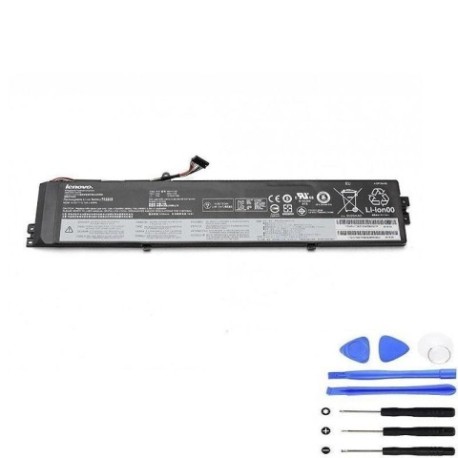
Introduction
Keep your Lenovo ThinkPad running at peak performance with our genuine replacement battery guide. This comprehensive resource helps Australian and New Zealand users identify compatible models, recognise replacement signs, and maintain optimal battery health.
Battery models & part numbers
| Reference / P/N |
|---|
| 121500158 |
| 121500159 |
| 45N1138 |
| 45N1139 |
| 45N1140 |
| 45N1141 |
| Lenovo-45N1138-46Wh |
Compatible laptop models
| Model |
|---|
| Lenovo ThinkPad S431 |
| Lenovo ThinkPad S440 |
| Lenovo ThinkPad S440 (20AY) |
| Lenovo ThinkPad S440 Touch (20AY/20BB) |
| Lenovo Thinkpad T440S X230S X240S |
Common signs you need a replacement
| Symptom | Cause | Verification | Recommendation |
|---|---|---|---|
| Rapid power drain | Reduced capacity | Check battery health in system settings | Consider replacement if below 50% capacity |
| Laptop won’t hold charge | Battery failure | Test with power adapter disconnected | Immediate replacement needed |
| Battery swelling | Internal damage | Visual inspection | Stop using immediately and replace |
| Overheating during use | Ageing cells | Monitor temperature readings | Replace to prevent damage |
How to check compatibility
Verify your laptop model matches our compatibility list above. Check your current battery’s part number (usually printed on the battery itself) against our reference numbers. For Australian and New Zealand users, ensure you’re purchasing from authorised retailers to guarantee compatibility and safety standards.
When to replace
Replace your battery when it no longer holds sufficient charge for your needs, shows physical damage, or reaches 2-3 years of regular use. Most lithium-ion batteries maintain optimal performance for 300-500 charge cycles before noticeable degradation occurs.
Installation guide (overview)
Power down your laptop completely and disconnect from power. Remove the bottom panel (consult your model’s service manual). Disconnect the battery connector, remove any securing screws, and lift out the old battery. Insert the new battery, reconnect the connector, replace screws, and reassemble. First charge should be uninterrupted for optimal calibration.
Usage & care tips
Maintain battery health by avoiding extreme temperatures (ideal range 15-25°C). Partial discharges are better than full cycles. Store in cool, dry conditions if not used for extended periods. Use only authorised chargers and avoid leaving laptop plugged in constantly once fully charged.
Safety & recycling in AU/NZ
In Australia and New Zealand, lithium-ion batteries must be recycled responsibly. Do not dispose in household waste. Use dedicated battery recycling services available at most electronics retailers and council waste centres. Damaged or swollen batteries require special handling – contact professional disposal services.
FAQ
How long does shipping take to AU/NZ?
Most orders arrive within 5-10 business days depending on your location.
Is this battery genuine Lenovo?
Yes, we supply authentic Lenovo batteries meeting all manufacturer specifications.
What warranty is provided?
All batteries come with 12 months warranty covering manufacturing defects.
Can I install this myself?
Yes, most ThinkPad models allow user-replaceable batteries with basic tools.
How do I maximise battery life?
Avoid complete discharges, keep between 20-80% charge when possible, and store in cool conditions.
What if my model isn’t listed?
Contact our support team with your exact model number for compatibility verification.
Are there recycling options in regional areas?
Yes, Australia Post and many council facilities accept batteries for recycling nationwide.