HP YB06XL 84.08Wh Battery Replacement Guide
Find the perfect replacement battery for your HP laptop with our comprehensive compatibility guide and expert installation advice.
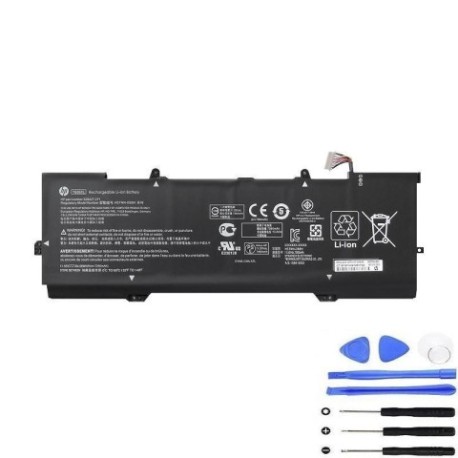
Battery models & part numbers
| Reference / P/N |
|---|
| HP 6GA89UA |
| HP 928372-855 |
| HP 928372-856 |
| HP 928427-272 |
| HP HSTNN-DB8V |
| HP YB06 |
| HP YB06084XL |
| HP YB06084XL-PL |
| HP-YB06XL-84.08Wh |
Compatible laptop models
| Model |
|---|
| HP Spectre x360 15-ch000s |
| HP Spectre x360 15-chs |
Introduction
The HP YB06XL 84.08Wh battery is a high-performance replacement designed specifically for HP Spectre x360 models and compatible with multiple part numbers. This genuine-quality battery ensures optimal performance and longevity for your device.
Common signs you need a replacement
| Symptoms | Causes | Verification | Recommendation |
|---|---|---|---|
| Battery drains quickly | Ageing cells | Check battery health in system settings | Consider replacement if under 50% capacity |
| Laptop won’t hold charge | Battery degradation | Test with different power adapters | Replace battery immediately |
| Swelling or bulging | Internal damage | Visual inspection | Stop using and replace urgently |
| Overheating during use | Faulty battery management | Monitor temperature with software | Replace to prevent damage |
How to check compatibility
Verify your laptop’s compatibility by checking the model number on the bottom casing or in system information. Cross-reference with our compatibility tables above. For HP Spectre x360 models, ensure the part number matches one of the listed references.
When to replace
Replace your battery when it holds less than 50% of its original capacity, shows physical damage, or causes performance issues. Most laptop batteries need replacement after 2-3 years of regular use.
Installation guide (overview)
Power off your laptop and disconnect all cables. Remove the bottom panel using the appropriate screwdriver. Disconnect the old battery connector and remove any securing screws. Install the new battery, reconnect the connector, and reassemble the laptop. Always refer to official HP documentation for detailed instructions.
Usage & care tips
Keep your battery between 20-80% charge for optimal longevity. Avoid extreme temperatures – store between 15-25°C. Calibrate your battery monthly by fully charging and discharging. Use only authorised HP chargers to prevent damage.
Safety & recycling in AU/NZ
Never attempt to open or modify the battery. Dispose of old batteries at authorised recycling centres. In Australia, use Batteryback or similar programs. In New Zealand, utilise council recycling facilities. Damaged batteries should be handled with care and recycled immediately.
FAQ
How long does shipping take to Australia/New Zealand?
Standard shipping typically takes 7-14 business days to major cities in Australia and New Zealand.
Is this battery genuine HP?
This is a high-quality replacement battery that meets or exceeds original specifications and is compatible with HP devices.
What warranty is provided?
Most replacement batteries come with a 12-month warranty covering manufacturing defects.
Can I install this battery myself?
Yes, with basic technical skills and proper tools. However, professional installation is recommended if you’re unsure.
How do I check my current battery health?
Use HP Support Assistant or built-in Windows battery reporting tools to check capacity and health status.
What’s the battery capacity in mAh?
The 84.08Wh capacity equates to approximately 7200mAh at 11.55V nominal voltage.
Are there any safety certifications?
Yes, our batteries meet CE, RoHS, and relevant Australian/New Zealand safety standards.