HP TA03XL 51Wh Laptop Battery Replacement Guide
Find the perfect replacement battery for your HP laptop with our comprehensive compatibility guide for Australian and New Zealand users.
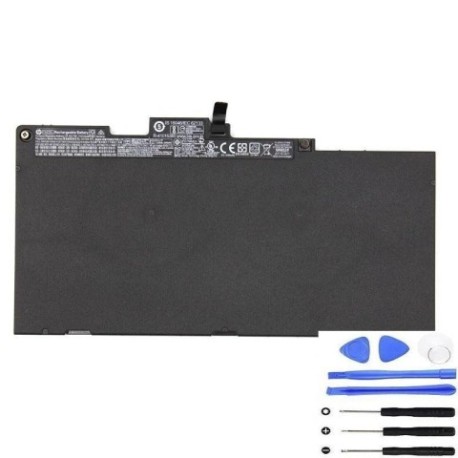
Battery models & part numbers
| Reference / P/N |
|---|
| HP-TA03XL-51Wh |
Compatible laptop models
| Model |
|---|
| HP 1FN06AA |
| HP 854047-1C1 |
| HP 854108-850 |
| HP EliteBook 745 G4s |
| HP EliteBook 755 G4s |
| HP EliteBook 840 G4s |
| HP EliteBook 840R G4s |
| HP EliteBook 850 G4s |
| HP HSN-I02C-4 |
| HP HSN-I02C-5 |
| HP HSN-I75C-5 |
| HP mt43 Mobile Thin Clients |
| HP ProBook 650 G4s |
| HP ZBook 14u G4s |
| HP ZBook 15u G4s |
Introduction
The HP TA03XL 51Wh battery is a high-quality replacement designed specifically for HP business laptops commonly used in Australian and New Zealand workplaces. This genuine-compatible battery ensures your device maintains optimal performance.
Common signs you need a replacement
| Symptom | Cause | Verification | Recommendation |
|---|---|---|---|
| Battery drains quickly | Reduced capacity from age/cycles | Check battery health in system settings | Consider replacement if under 2 hours runtime |
| Laptop won’t hold charge | Battery failure or worn cells | Test with power adapter disconnected | Replace immediately for mobile use |
| Battery swelling/bulging | Internal damage or overheating | Visual inspection of battery compartment | Replace urgently – safety hazard |
| Overheating during use | Inefficient battery operation | Monitor temperature with software | Replace to prevent damage to laptop |
How to check compatibility
Verify your laptop model matches one of the compatible models listed above. Check the label on your laptop’s bottom case or in system information (Windows: Win+R, type “msinfo32”). For Australian and New Zealand models, ensure the part number matches HP-TA03XL-51Wh.
When to replace
Replace your battery when runtime drops below 2 hours, you notice swelling, or the battery no longer holds charge. Most HP batteries last 2-3 years with regular use in AU/NZ conditions.
Installation guide (overview)
1. Power off laptop and disconnect charger
2. Remove the bottom panel (consult your model’s service manual)
3. Disconnect old battery connector
4. Remove mounting screws and old battery
5. Install new HP TA03XL battery and reconnect
6. Replace panel and power on
Usage & care tips
– Avoid complete discharges – recharge at 20-30%
– Store between 15-25°C in dry conditions
– Use authorised HP chargers only
– Calibrate monthly: fully charge, then discharge completely
– Keep battery contacts clean
Safety & recycling in AU/NZ
In Australia and New Zealand, never dispose of batteries in household waste. Use authorised battery recycling centres. Many electronics retailers offer free battery recycling services. Damaged or swollen batteries should be handled with care and recycled immediately.
FAQ
How long does shipping take to AU/NZ?
Typically 7-14 business days depending on your location.
Is this battery genuine HP?
This is a high-quality compatible battery meeting HP specifications.
What warranty is offered?
Most reputable suppliers offer 12-24 months warranty in Australia and New Zealand.
Can I use this battery with older HP models?
Only use with compatible models listed above to ensure safety and performance.
How do I recycle my old battery in Australia?
Use Battery World, Officeworks, or other authorised recycling centres.
What’s the battery capacity?
51Wh capacity providing 4-6 hours typical usage.
Is installation difficult?
Most HP business laptops have user-replaceable batteries with simple installation.