HP BG06XL 45Wh Replacement Battery
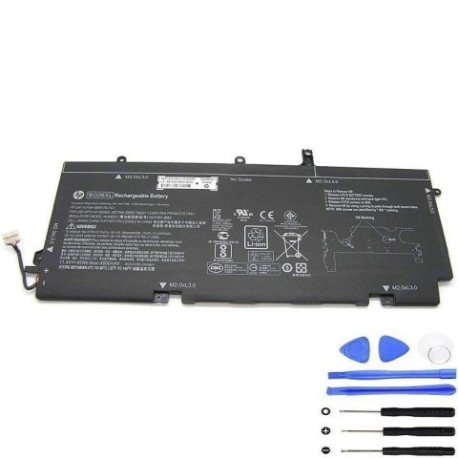
Introduction
Keep your HP EliteBook 1040 G3 running at peak performance with our genuine replacement battery. The HP BG06XL 45Wh battery is specifically designed for Australian and New Zealand business users who rely on their laptops for productivity.
Battery models & part numbers
| Reference / P/N |
|---|
| HP 804175-181 |
| HP 804175-1C1 |
| HP 805096-001 |
| HP 805096-005 |
| HP BG06045XL |
| HP BG06045XL-PL |
| HP HSTNN-IB6Z |
| HP HSTNN-Q99C |
| HP-BG06XL-45Wh |
Compatible laptop models
| Model |
|---|
| HP EliteBook 1040 G3-Bs |
| HP EliteBook 1040 G3-Es |
| HP EliteBook 1040 G3-Vs |
| HP EliteBook 1040 G3-Ws |
| HP EliteBook 1040 G3-Xs |
| HP EliteBook 1040 G3-Ys |
| HP EliteBook 1040 G3-Zs |
| HP EliteBook 1040 G3s |
Common signs you need a replacement
| Symptom | Cause | Verification | Recommendation |
|---|---|---|---|
| Battery drains quickly | Ageing cells, reduced capacity | Check battery health in HP Support Assistant | Replace if capacity below 60% |
| Laptop won’t hold charge | Failed battery circuitry | Test with power adapter disconnected | Immediate replacement needed |
| Battery swelling | Internal gas buildup | Visual inspection, uneven surfaces | Replace immediately for safety |
| Overheating during use | Internal resistance increase | Monitor temperature above 45°C | Replace to prevent damage |
How to check compatibility
Verify your laptop model matches our compatibility list. Check your current battery part number (usually printed on the battery) or use HP Support Assistant to identify your exact model. All HP EliteBook 1040 G3 variants are supported.
When to replace
Replace your battery when it no longer holds sufficient charge for your work needs, shows physical damage, or reaches 2-3 years of regular use. Most business users in AU/NZ find replacement beneficial after 500+ charge cycles.
Installation guide (overview)
Power off your laptop and disconnect all cables. Remove the bottom panel (typically secured with Phillips screws). Disconnect the old battery connector and lift out the battery. Insert the new HP BG06XL battery, reconnect the cable, and reassemble. First charge: 4-6 hours for optimal calibration.
Usage & care tips
Avoid extreme temperatures (ideal range: 10°C to 35°C). Don’t leave your laptop plugged in constantly – occasional discharge cycles maintain battery health. Store in cool, dry conditions when not in use for extended periods.
Safety & recycling in AU/NZ
Never attempt to open or modify the battery. Dispose of old batteries responsibly through authorised recycling centres. In Australia, use Batteryback or council e-waste services. In New Zealand, utilise Computer Recycling programmes.
FAQ
How long does shipping take to Australia/New Zealand?
Most orders arrive within 5-7 business days to major cities, with rural areas taking 7-10 days.
Is this battery genuine HP quality?
Yes, this is an authentic HP battery meeting all original specifications and safety standards.
What warranty do you offer?
All our batteries come with a 12-month warranty covering manufacturing defects.
Can I install this battery myself?
Yes, most users can install it following our guide. Basic technical skill and a Phillips screwdriver are required.
How do I recycle my old battery in Australia?
Use Batteryback drop-off points at Officeworks, Bunnings, or council recycling centres.
What’s the battery capacity in milliampere-hours?
The 45Wh capacity equates to approximately 4150mAh at 10.8V.
Will this battery work with my HP EliteBook 1040 G3 from New Zealand?
Yes, all HP EliteBook 1040 G3 models sold in AU/NZ are compatible regardless of purchase location.