Battery models & part numbers
| Reference / P/N |
|---|
| Dell VVONF |
| Dell-VVONF-65Wh |
Compatible laptop models
| Model |
|---|
| Dell 02KYRM |
| Dell 070NFJ |
| Dell 0D1958 |
| Dell 0FJTXY |
| Dell 0K8HC |
| Dell 0M7T5F |
| Dell 0VV0NF |
| Dell 0WGCW6 |
| Dell 1N9C0 |
| Dell 2KYRM |
| Dell 3K7J7 |
| Dell 451-BBID |
| Dell 451-BBIE |
| Dell 451-BBIF |
| Dell 70NFJ |
| Dell 7W6K0 |
| Dell 9TJ2J |
| Dell 9Y1JF |
| Dell C0MXV |
| Dell CXF66 |
| Dell D1958 |
| Dell F49WX |
| Dell FJTXY |
| Dell FT6D9 |
| Dell Latitude 14 (E5440) |
| Dell Latitude 14 (E5440-0590) |
| Dell Latitude 14 (E5440-2969) |
| Dell Latitude 14 (E5440-4668) |
| Dell Latitude 14 (E5440-7975) |
| Dell Latitude 15 (E5540) |
| Dell Latitude 15 (E5540-3837) |
| Dell Latitude 15 (E5540-CA001LE55402EMEA) |
| Dell Latitude 15 (E5540-SM007LE55408GER) |
| Dell M7T5F |
| Dell NVWGM |
| Dell RRNJ1 |
| Dell VVONF |
| Dell WGCW6 |
Introduction
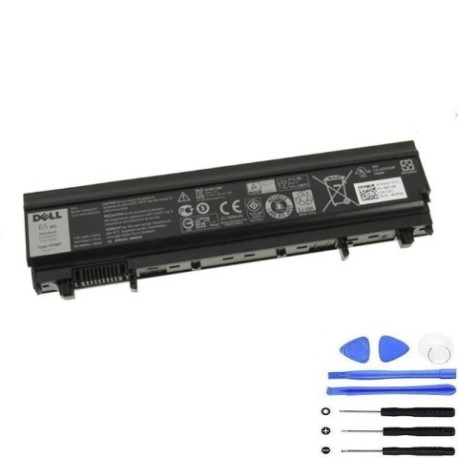
Keep your Dell laptop running at peak performance with our genuine VVONF 65Wh replacement battery. Designed specifically for Australian and New Zealand conditions, this battery delivers reliable power for your business or personal computing needs.
Common signs you need a replacement
| Symptoms | Causes | Verification | Recommendation |
|---|---|---|---|
| Battery drains quickly | Ageing cells | Check power settings | Consider replacement |
| Laptop shuts down unexpectedly | Voltage drops | Monitor battery health | Replace immediately |
| Battery won’t hold charge | Cell degradation | Test with power meter | New battery needed |
| Swelling or bulging | Internal pressure | Visual inspection | Replace urgently |
How to check compatibility
Verify your laptop model matches our compatibility list above. Check your current battery’s part number or consult your laptop’s documentation. For Dell Latitude models, ensure the E-series number matches exactly.
When to replace
Replace your battery when it holds less than 50% of its original capacity, shows physical damage, or causes system instability. Most batteries need replacement after 2-3 years of regular use in AU/NZ conditions.
Installation guide (overview)
Power down your laptop completely. Remove the AC adapter. Locate the battery release latch or screws. Carefully remove the old battery and insert the new one, ensuring proper alignment. Secure the battery and power on your device.
Usage & care tips
Store batteries at room temperature (15-25°C). Avoid complete discharges. Calibrate monthly by fully charging then discharging. Keep contacts clean and dry. Use authorised Dell chargers for optimal performance.
Safety & recycling in AU/NZ
Never disassemble batteries. Dispose of old batteries at approved recycling centres. In Australia, use Batteryback services. In New Zealand, utilise accredited e-waste facilities. Both countries have strict battery disposal regulations.
FAQ
How long does delivery take in AU/NZ?
Typically 3-7 business days depending on your location.
Is this battery genuine Dell?
Yes, this is an authentic Dell VVONF 65Wh replacement battery.
What warranty do you offer?
12-month warranty covering manufacturing defects.
Can I use this with newer Dell models?
Only with compatible models listed above. Check your specific model.
How do I recycle my old battery?
Take to any Officeworks (AU) or Noel Leeming (NZ) for free recycling.
What’s the battery life expectancy?
Approximately 500 charge cycles or 2-3 years with proper care.
Do you provide installation service?
No, but our guide makes DIY installation straightforward for most users.