Battery models & part numbers
| Reference / P/N |
|---|
| Asus-C41N1901-70Wh |
Compatible models
| Model |
|---|
| Asus 0B200-03520100 |
| Asus C41Po05 |
| Asus ZenBook Duo UX481 |
| Asus ZenBook Duo UX481F |
| Asus ZenBook Duo UX481FA |
| Asus ZenBook Duo UX481FA-BM018R |
| Asus ZenBook Duo UX481FA-BM018T |
| Asus ZenBook Duo UX481FA-BM020R |
| Asus ZenBook Duo UX481FA-BM020T |
| Asus ZenBook Duo UX481FA-BM025R |
| Asus ZenBook Duo UX481FL |
| Asus ZenBook Duo UX481FL-BM039R |
| Asus ZenBook Duo UX481FL-BM040T |
| Asus ZenBook Duo UX481FL-BM044T |
| Asus ZenBook UX4000FL |
| Asus ZenBook UX481 |
| Asus ZenBook UX481F |
| Asus ZenBook UX481FA |
| Asus ZenBook UX481FL |
| Asus ZenBook UX481FLY |
Introduction
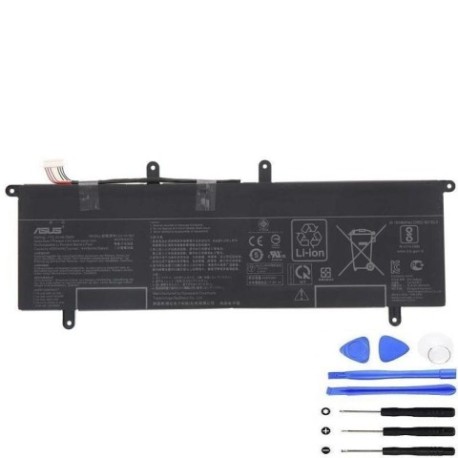
Keep your Asus ZenBook Duo UX481 series running smoothly with a genuine C41N1901 70Wh battery replacement. This high-capacity battery is designed for models like the UX481FA and UX481FL, ensuring reliable performance for work or study in Australia and New Zealand.
Common signs you need a replacement
| Symptom | Cause | How to verify | Recommendation |
|---|---|---|---|
| Short battery life | Ageing cells, reduced capacity | Check power settings, run diagnostics | Consider replacement if under 2 hours |
| Laptop won’t hold charge | Battery degradation, faulty circuit | Unplug charger, observe shutdown time | Test with multimeter or professional |
| Swelling or overheating | Internal damage, safety risk | Visual inspection, feel for bulges | Replace immediately, avoid use |
| Unexpected shutdowns | Voltage drops under load | Monitor during heavy tasks | Backup data and replace battery |
How to check compatibility
To confirm your laptop model, check the bottom label or go to Settings > System > About in Windows. For Asus ZenBook Duo UX481 variants, match your exact model (e.g., UX481FA-BM018R) with the compatible list above. Use the Asus official support site or authorised service centres in AU/NZ for verification tools.
When to replace
Replace your battery if it shows significant capacity loss (e.g., lasts less than 50% of original runtime), physical damage, or error messages. For optimal performance, consider replacement every 2–3 years with moderate use.
Installation guide (overview)
Power off and unplug your laptop. Remove the bottom screws, gently disconnect the old battery, and secure the new one. Reassemble and charge fully before first use. Refer to your model’s service manual or an authorised technician for safe installation.
Usage & care tips
Avoid full discharges; keep charge between 20–80% for longevity. Store in a cool, dry place (ideal 15–25°C). Use only Asus-approved chargers. Calibrate monthly by fully charging and discharging once.
Safety & recycling in AU/NZ
Do not puncture or expose batteries to heat. In Australia and New Zealand, recycle old batteries at designated centres (e.g., Batteryback.org.au in AU, or local council facilities in NZ) to prevent environmental harm.
FAQ
How long does this battery last? Up to 4–6 hours depending on usage and laptop model.
Is it compatible with all ZenBook UX481 models? Yes, including UX481FA, UX481FL, and their variants as listed.
Does it come with a warranty? Check the product page for warranty details specific to AU/NZ.
Can I install it myself? Yes, if comfortable with basic tools; otherwise, seek professional help.
How do I recycle the old battery? Use local recycling programmes in Australia or New Zealand.
What if my model isn’t listed? Double-check your model number; contact support if unsure.
Is this battery genuine? It’s a high-quality replacement designed for compatibility.