Battery models & part numbers
| Reference / P/N |
|---|
| PA5076R-1BRS |
| PA5076U-1BRS |
| PABAS268 |
| PABAS269 |
| PAS076U-1BRS |
| Toshiba-PA5077U-1BRS-45Wh |
Compatible laptop models
| Model |
|---|
| Toshiba G71C000F1210 |
| Toshiba G71C000F2110 |
| Toshiba P000562380 |
| Toshiba P000562390 |
| Toshiba P000565490 |
| Toshiba P000565500 |
| Toshiba P000614000 |
| Toshiba P000697180 |
| Toshiba Satellite L950 |
| Toshiba Satellite L950D |
| Toshiba Satellite L955 |
| Toshiba Satellite L955D |
| Toshiba Satellite S955 |
| Toshiba Satellite S955D |
| Toshiba Satellite U840 |
| Toshiba Satellite U900 |
| Toshiba Satellite U940 |
| Toshiba Satellite U945 |
Introduction
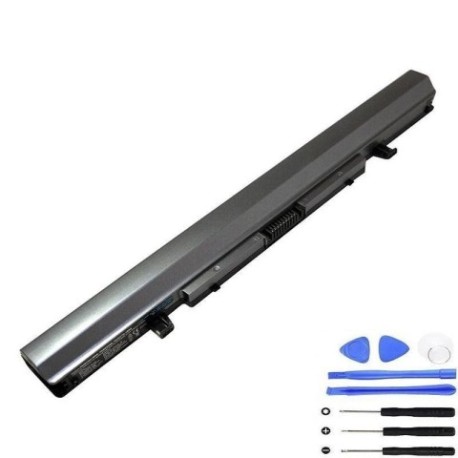
Keep your Toshiba laptop running at peak performance with our authorised replacement battery. The PA5077U 1BRS 45Wh battery is designed specifically for multiple Toshiba Satellite models and delivers reliable power for work, study, or entertainment.
Common signs you need a replacement
| Symptom | Cause | Verification | Recommendation |
|---|---|---|---|
| Battery drains quickly | Ageing cells, reduced capacity | Check power settings, monitor usage | Consider replacement if under 2 hours |
| Laptop shuts down unexpectedly | Battery cannot hold charge | Test with power adapter connected | Replace immediately |
| Battery won’t charge fully | Damaged charging circuit | Check charging indicator | Replace battery |
| Battery swelling or overheating | Internal damage, safety risk | Visual inspection, temperature check | Replace urgently, recycle properly |
How to check compatibility
Verify your laptop model matches our compatibility list above. Check the original battery part number on the underside of your laptop or existing battery. All compatible models are listed in alphabetical order for easy reference.
When to replace
Replace your battery when you notice significant performance decline, typically after 2-3 years of regular use. If your battery lasts less than 60 minutes on a full charge or shows physical damage, replacement is recommended for optimal performance and safety.
Installation guide (overview)
1. Power off laptop and disconnect charger
2. Remove the battery compartment cover
3. Carefully disconnect the old battery
4. Insert new battery and secure connections
5. Replace cover and charge fully before first use
Usage & care tips
• Avoid extreme temperatures (ideal range 15-25°C)
• Calibrate battery monthly by fully discharging then charging
• Store in cool, dry place when not in use
• Use original Toshiba charger for optimal performance
Safety & recycling in AU/NZ
Dispose of old batteries at authorised recycling centres. Never dispose in household waste. In Australia, use Batteryback or council e-waste services. In New Zealand, utilise accredited e-waste recyclers. Damaged or swollen batteries require special handling – contact professionals.
FAQ
How long does delivery take in Australia?
Typically 3-7 business days for metro areas, slightly longer for regional centres.
Is this battery genuine Toshiba?
This is a high-quality replacement battery designed to meet Toshiba specifications.
What warranty do you offer?
All our batteries come with a 12-month warranty covering manufacturing defects.
Can I use this battery for my Toshiba Satellite L955?
Yes, the Toshiba Satellite L955 is fully compatible as listed in our compatibility table.
How do I maximise battery life?
Avoid complete discharges, store at room temperature, and use power-saving settings.
Is installation difficult?
Most Toshiba models have user-replaceable batteries – follow our simple guide above.
Do you ship to New Zealand?
Yes, we ship to both Australia and New Zealand with reliable courier services.