Battery models & part numbers
| Reference / P/N |
|---|
| Sony-VGP-BPSE38-36Wh |
| VGP-BPSE38 |
| VGPBPSE38 |
Compatible laptop models
| Model |
|---|
| Sony Vaio Pro 11 SVP11 |
| Sony Vaio Pro 13 SVP13 |
| Sony Vaio SVP1121A4E |
| Sony Vaio SVP1121C5E |
| Sony Vaio SVP1121C5ER |
| Sony Vaio SVP1121M2EB |
| Sony Vaio SVP1121M2RS |
| Sony Vaio SVP1121X9EB |
| Sony Vaio SVP1121X9RB |
| Sony Vaio SVP1121Z9EB |
| Sony Vaio SVP1121Z9RB |
| Sony Vaio SVP11216STB |
| Sony Vaio SVP13211STS |
| Sony Vaio SVP13212STBI |
| Sony Vaio SVP13213STB |
| Sony Vaio SVP13213STS |
| Sony Vaio SVP13218PTB |
| Sony Vaio SVP1321A4E |
| Sony Vaio SVP1321B4E |
| Sony Vaio SVP1321C4E |
| Sony Vaio SVP1321C5E |
| Sony Vaio SVP1321C5ER |
| Sony Vaio SVP1321D4E |
| Sony Vaio SVP1321E4RB |
| Sony Vaio SVP1321F4RB |
| Sony Vaio SVP1321L1EBI |
| Sony Vaio SVP1321L1RBI |
| Sony Vaio SVP1321M2EB |
| Sony Vaio SVP1321M2RS |
| Sony Vaio SVP1321M4RS |
| Sony Vaio SVP1321M9EB |
| Sony Vaio SVP1321M9RB |
| Sony Vaio SVP1321N4RS |
| Sony Vaio SVP1321Q4RB |
| Sony Vaio SVP1321X9EB |
| Sony Vaio SVP1321X9RB |
| Sony Vaio SVP1321Z9EB |
Introduction
If your Sony Vaio Pro 11 or 13 laptop is showing signs of battery fatigue, you’ve come to the right place. Our genuine replacement Sony VGP-BPSE38 36Wh battery restores your device’s original performance and mobility.
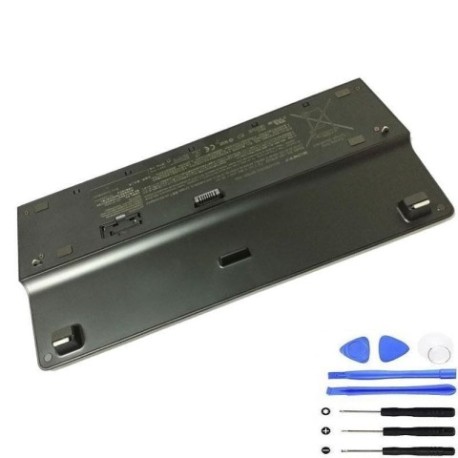
Common signs you need a replacement
| Symptom | Cause | Verification | Recommendation |
|---|---|---|---|
| Battery drains quickly | Reduced capacity from age/cycles | Check battery health in system settings | Replace if capacity below 60% |
| Laptop shuts down unexpectedly | Voltage drops under load | Monitor during intensive tasks | Immediate replacement needed |
| Battery won’t charge fully | Cell degradation | Check charging percentage | Replace if stuck below 80% |
| Battery swelling | Internal gas buildup | Visual inspection | Stop using immediately |
How to check compatibility
Verify your laptop model matches one listed in our compatibility table above. You can find your model number on the bottom label of your Vaio laptop or in System Information.
When to replace
Consider replacement when your battery holds less than 2 hours of charge, shows physical damage, or is over 3 years old with regular use.
Installation guide (overview)
1. Power off laptop and disconnect charger
2. Remove bottom panel screws
3. Carefully disconnect old battery connector
4. Install new battery and reconnect
5. Replace panel and power on
Usage & care tips
• Avoid extreme temperatures (ideal range 15-25°C)
• Don’t leave laptop plugged in constantly
• Calibrate battery monthly by full discharge/charge cycle
• Store at 40-60% charge if not using for extended periods
Safety & recycling in AU/NZ
Always use authorised replacement batteries. In Australia and New Zealand, recycle old batteries at designated collection centres – never dispose in household waste due to environmental regulations.
FAQ
How long does delivery take in Australia?
Typically 3-7 business days for metro areas.
Is this battery genuine Sony?
Yes, this is an original Sony VGP-BPSE38 replacement.
What’s the warranty period?
12 months warranty from date of purchase.
Can I install it myself?
Yes, with basic technical skills and proper tools.
How do I recycle my old battery?
Take to any Battery World or Officeworks store for free recycling.
Will this work with my Vaio Pro 13?
Yes, all SVP13 models are compatible as listed.
What’s the battery capacity?
36Wh as specified by Sony.