Battery models & part numbers
| Reference / P/N |
|---|
| Samsung AA-PN3VC6B |
| Samsung BA43-00270A |
| Samsung BA43-00288A |
| Samsung BA92-07034A |
| Samsung NP-SF510 |
| Samsung QX310 |
| Samsung QX410 |
| Samsung QX411 |
| Samsung QX412 |
| Samsung SF310 |
| Samsung SF510 |
| Samsung-AA-PN3NC6F-65Wh |
Compatible laptop models
| Model |
|---|
| Samsung NP-SF510 |
| Samsung QX310 |
| Samsung QX410 |
| Samsung QX411 |
| Samsung QX412 |
| Samsung SF310 |
| Samsung SF510 |
Introduction
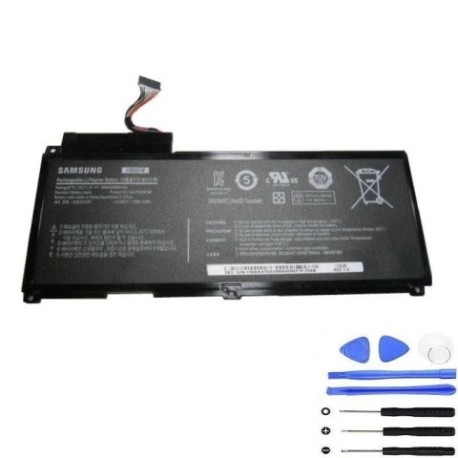
Keep your Samsung laptop running smoothly with our authorised replacement battery. The Samsung AA PN3NC6F 65Wh battery is designed to restore your device’s original performance and mobility.
Common signs you need a replacement
| Symptoms | Causes | Verification | Recommendation |
|---|---|---|---|
| Battery won’t hold charge | Ageing cells | Check power settings | Replace battery |
| Laptop shuts down unexpectedly | Voltage drops | Monitor battery health | Test with power adapter |
| Battery swelling or overheating | Internal damage | Visual inspection | Replace immediately |
| Reduced usage time | Capacity loss | Compare to original runtime | Consider replacement |
How to check compatibility
Verify your laptop model matches our compatibility list above. Check your current battery’s part number or consult your device’s specifications in system settings.
When to replace
Replace your battery when runtime drops below 50% of original capacity, if physical damage occurs, or every 2-3 years for optimal performance.
Installation guide (overview)
Power down your laptop, disconnect from power, remove the old battery, insert the new one ensuring proper alignment, and secure any locking mechanisms.
Usage & care tips
Avoid extreme temperatures, don’t leave plugged in constantly, perform occasional full discharge cycles, and store in cool, dry conditions around 20°C.
Safety & recycling in AU/NZ
Dispose of old batteries at authorised recycling centres. Never incinerate or dispose in household waste. Check with local council for battery recycling options.
FAQ
How long does delivery take in Australia?
Typically 3-7 business days depending on your location.
Is this battery genuine Samsung?
This is a high-quality compatible replacement meeting original specifications.
What’s the warranty period?
12 months warranty from date of purchase.
Can I use this battery with newer Samsung models?
Only compatible with models listed in our compatibility table.
How do I maximise battery life?
Avoid complete discharges, keep between 20-80% charge when possible, and store at room temperature.
Is installation difficult?
Most Samsung laptops have user-replaceable batteries requiring basic tools and careful handling.
What if my model isn’t listed?
Contact our support team with your laptop’s exact model number for assistance.