Samsung AA-PB1VC6B 48Wh Replacement Battery
Find the perfect replacement battery for your Samsung laptop with our comprehensive AU/NZ guide. This high-quality 48Wh battery ensures reliable performance for your device.
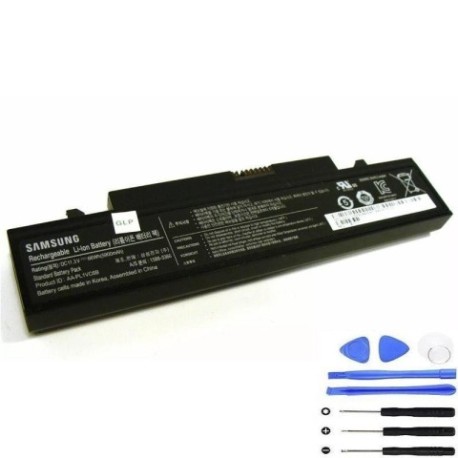
Battery models & part numbers
| Reference / P/N |
|---|
| Samsung AA-PB1VC6B |
| Samsung AA-PB1VC6W |
| Samsung AA-PL1VC6B |
| Samsung AA-PL1VC6B/E |
| Samsung AA-PL1VC6W/E |
| Samsung BA43-00228A |
| Samsung BA43-00229A |
| Samsung BA43-00266A |
| Samsung BA43-00268A |
Compatible laptop models
| Model |
|---|
| Samsung N210 |
| Samsung N220 |
| Samsung NB30 |
| Samsung Q330 |
| Samsung X420 |
| Samsung X420-Aura |
| Samsung X520 |
| Samsung X520-Aura |
Introduction
Welcome to our complete guide for Samsung laptop battery replacement in Australia and New Zealand. This authorised replacement battery delivers the same quality and performance as the original, ensuring your device runs smoothly.
Common signs you need a replacement
| Symptoms | Causes | Verification | Recommendation |
|---|---|---|---|
| Battery drains quickly | Ageing cells | Check power settings | Replace battery |
| Laptop won’t hold charge | Battery degradation | Test with power adapter | New battery required |
| Swollen battery case | Internal damage | Visual inspection | Immediate replacement |
| Overheating during use | Faulty cells | Monitor temperature | Replace for safety |
How to check compatibility
Verify your laptop model matches our compatibility list above. Check the original battery part number on the underside of your current battery or in your device’s system information.
When to replace
Replace your battery when it holds less than 50% of its original capacity, shows physical damage, or causes performance issues. Most laptop batteries last 2-3 years with regular use.
Installation guide (overview)
Power off your laptop and disconnect the charger. Remove the old battery by sliding the release latch. Align the new battery and press until it clicks into place. Charge fully before first use.
Usage & care tips
Store batteries at room temperature (15-25°C). Avoid complete discharges. Calibrate monthly by fully charging then discharging. Keep contacts clean and dry.
Safety & recycling in AU/NZ
Never disassemble batteries. Dispose of old batteries at authorised recycling centres. In Australia, use Batteryback or council collection points. In New Zealand, use recognised e-waste facilities.
FAQ
How long does delivery take in Australia?
Typically 3-7 business days for metro areas.
Is this battery genuine Samsung?
This is an authorised replacement with equivalent specifications.
What warranty is provided?
12-month warranty covering manufacturing defects.
Can I use this battery in New Zealand?
Yes, compatible with all voltage standards in AU/NZ.
How do I maximise battery life?
Avoid extreme temperatures and complete discharges.
What if my model isn’t listed?
Contact our support team for compatibility checking.
Is installation difficult?
Most users can install in under 5 minutes with our guide.