Asus C42N1630 73Wh Laptop Battery Replacement
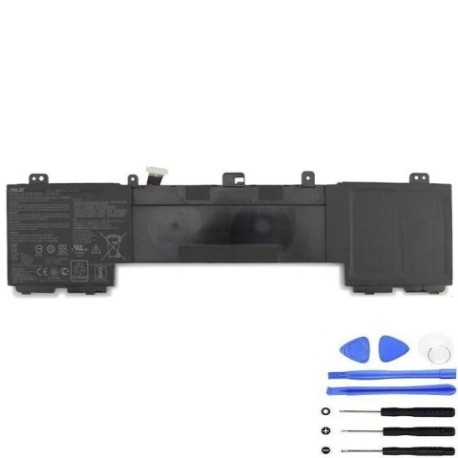
Introduction
Keep your Asus laptop running at peak performance with our genuine replacement battery. The Asus C42N1630 73Wh battery is specifically designed for compatibility with multiple Asus laptop models, ensuring reliable power and extended usage time.
Battery models & part numbers
| Reference / P/N |
|---|
| Asus-C42N1630-73Wh |
Compatible laptop models
| Model |
|---|
| Asus 0B200-02520000 |
| Asus 0B200-02520300 |
| Asus C42PhCH |
| Asus ZenBook Pro 15 UX550VD |
| Asus ZenBook Pro 15 UX550VE |
Common signs you need a replacement
| Symptoms | Causes | Verification | Recommendation |
|---|---|---|---|
| Battery drains quickly | Ageing cells, reduced capacity | Check battery health in system settings | Replace if capacity below 60% |
| Laptop won’t hold charge | Failed battery cells | Test with power adapter removed | Immediate replacement needed |
| Battery swelling | Internal damage, safety risk | Visual inspection, case bulging | Stop use immediately, replace |
| Overheating during use | Inefficient power delivery | Monitor temperature, check vents | Replace to prevent damage |
How to check compatibility
Verify your laptop model matches one of the compatible models listed above. Check your laptop’s underside for the model number or use system information tools. Always cross-reference with your original battery’s part number.
When to replace
Replace your battery when you notice significant performance degradation, typically after 2-3 years of regular use. Most batteries retain about 80% capacity after 300 charge cycles. Consider replacement if your battery lasts less than 2 hours under normal usage.
Installation guide (overview)
1. Power off laptop and disconnect charger
2. Remove bottom panel screws
3. Carefully disconnect old battery connector
4. Remove mounting screws
5. Install new battery and reconnect
6. Replace panel and test functionality
Always refer to official service manuals or seek professional assistance if unsure.
Usage & care tips
• Avoid extreme temperatures (ideal range 15-25°C)
• Don’t leave laptop plugged in constantly
• Perform regular calibration cycles
• Store at 40-60% charge if not using for extended periods
• Keep battery contacts clean and dry
Safety & recycling in AU/NZ
In Australia and New Zealand, laptop batteries must be recycled responsibly. Never dispose of in household waste. Use authorised battery recycling centres or return to electronics retailers. Many councils offer free battery recycling services. Damaged or swollen batteries require special handling – contact professional recycling services.
FAQ
How long does delivery take in Australia?
Most orders are delivered within 3-7 business days across metropolitan areas, with slightly longer times for regional locations.
Is this battery genuine Asus?
Yes, this is an authentic Asus replacement battery with full compatibility and warranty coverage.
What warranty do you offer?
All our batteries come with a 12-month warranty covering manufacturing defects and performance issues.
Can I install this battery myself?
Yes, with basic technical skills and proper tools. However, we recommend professional installation if you’re not confident.
How do I recycle my old battery?
Use council recycling centres, Officeworks, or Battery World stores across Australia and New Zealand for free recycling.
Will this battery work with my charger?
Yes, it’s fully compatible with your original Asus charger and maintains the same charging specifications.
What’s the expected battery life?
Typically 2-4 hours depending on usage, screen brightness, and applications running.