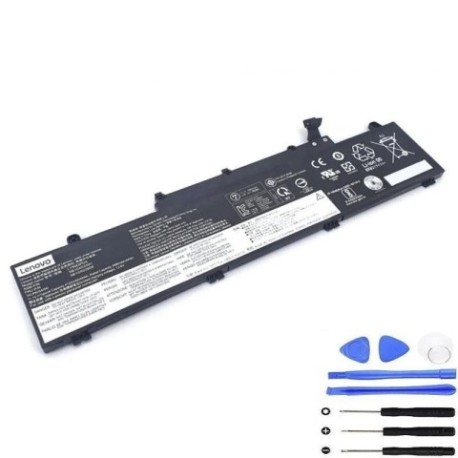
Lenovo L19M3PD5 45Wh Replacement Battery
Introduction
Keep your Lenovo ThinkPad E14 or E15 running at peak performance with our genuine L19M3PD5 45Wh replacement battery. This high-quality battery is specifically designed for Australian and New Zealand conditions, ensuring reliable power for your business or study needs.
Battery models & part numbers
| Reference / P/N |
|---|
| Lenovo 3ICP6/54/90 |
| Lenovo 3ICP6/55/90 |
| Lenovo 5B10X02594 |
| Lenovo 5B10X02600 |
| Lenovo 5B10X02603 |
| Lenovo 5B10X02606 |
| Lenovo 5B11C73245 |
| Lenovo 5B11N52062 |
| Lenovo L19C3PD5 |
| Lenovo L19D3PD5 |
| Lenovo L19L3PD5 |
| Lenovo SB10x02608 |
| Lenovo SB11N52074 |
Compatible laptop models
| Model |
|---|
| Lenovo E14 Gen 3 (20Y7/20YD/20YE/20YF) |
| Lenovo ThinkPad E14 Gen 2 (20T6) |
| Lenovo ThinkPad E14 Gen 2 (20T7) |
| Lenovo ThinkPad E14 Gen 2 (20TA) |
| Lenovo ThinkPad E14 Gen 2 (20TB) |
| Lenovo ThinkPad E14 Gen 3 (20Y7) |
| Lenovo ThinkPad E14 Gen 4 (21E3/21E4) |
| Lenovo ThinkPad E14 Gen 4 (21EB 21EC) |
| Lenovo ThinkPad E14 Gen 4 (21EB/21EC) |
| Lenovo ThinkPad E15 Gen 2 (20T8/20T9) |
| Lenovo ThinkPad E15 Gen 2 (20TD/20TE) |
| Lenovo ThinkPad E15 Gen 3 (20YG/20YH/20YJ/20YK) |
| Lenovo ThinkPad E15 Gen 4 (21ED/21EE) |
Common signs you need a replacement
| Symptoms | Causes | Verification | Recommendation |
|---|---|---|---|
| Battery drains quickly (under 2 hours) | Natural degradation over 300+ cycles | Check battery health in Lenovo Vantage | Replace if capacity below 60% |
| Laptop won’t hold charge when unplugged | Battery cells no longer holding voltage | Test with power cable removed | Immediate replacement needed |
| Battery swelling or bulging | Internal chemical breakdown | Visual inspection of battery compartment | Replace immediately – safety risk |
| Overheating during charging | Faulty charging circuit | Monitor temperature with software | Replace to prevent damage |
How to check compatibility
Verify your laptop model matches our compatibility list above. Check your current battery part number (located on the battery itself) or use Lenovo Vantage software to confirm your device specifications. All compatible models are listed in alphabetical order for easy reference.
When to replace
Replace your battery when you notice significant performance decline, typically after 18-24 months of regular use. In Australia’s varying climate conditions, battery life can be affected by temperature extremes. Regular monitoring through your laptop’s power management centre is recommended.
Installation guide (overview)
1. Power off your laptop and disconnect all cables
2. Remove the bottom cover (consult your model’s service manual)
3. Disconnect the battery connector
4. Remove any screws securing the battery
5. Install the new L19M3PD5 battery in reverse order
6. Allow full charge cycle before first use
Usage & care tips
• Avoid extreme temperatures (ideal range 15-25°C)
• Calibrate battery monthly by fully discharging then charging
• Store at 40-60% charge if not using for extended periods
• Use authorised Lenovo chargers only
• Keep battery contacts clean and free from dust
Safety & recycling in AU/NZ
In Australia and New Zealand, lithium-ion batteries must be recycled responsibly. Do not dispose of in household waste. Use authorised battery recycling centres available at most electronics retailers. Damaged or swollen batteries should be handled with care and recycled immediately.
FAQ
How long does shipping take in Australia?
Most orders are delivered within 3-5 business days to metro areas, with express options available.
Is this battery genuine Lenovo?
Yes, this is an original Lenovo L19M3PD5 battery meeting all manufacturer specifications.
What warranty do you offer?
All our batteries come with a 12-month warranty covering manufacturing defects.
Will this work with my E14 Gen 4?
Yes, this battery is compatible with all E14 Gen 4 models listed in our compatibility table.
How do I check my current battery health?
Use Lenovo Vantage software or Windows battery report to check current capacity and cycle count.
Can I install this myself?
Yes, most ThinkPad models allow user-replaceable batteries with basic tools and following our guide.
Do you ship to New Zealand?
Yes, we ship to both Australia and New Zealand with competitive shipping rates.