Battery models & part numbers
| Reference / P/N |
|---|
| Lenovo 5B10Z26479 |
| Lenovo 5B10Z26482 |
| Lenovo 5B10Z26485 |
| Lenovo L19C4PDC |
| Lenovo L19L4PDC-71Wh |
| Lenovo L19M4PDC |
| Lenovo SB10Z26481 |
| Lenovo SB10Z26486 |
Compatible laptop models
| Model |
|---|
| Lenovo IdeaPad Yoga 7-14ITL5 (82LW) |
| Lenovo Yoga 7 14ITL5 (82BH) |
| Lenovo Yoga 7-14ACN6 (82N7) |
| Lenovo Yoga 7-15ITL5 (82BJ) |
Introduction
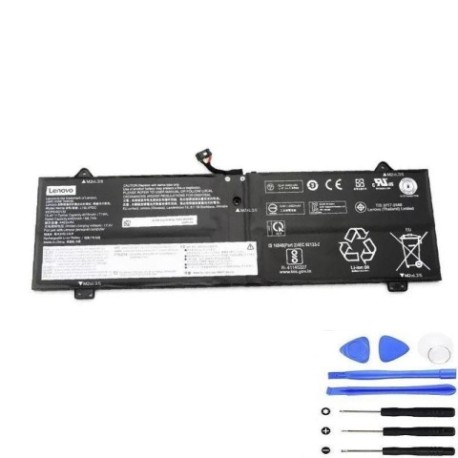
Keep your Lenovo Yoga performing at its best with our genuine replacement battery. This 71Wh power solution restores your laptop’s mobility and reliability.
Common signs you need a replacement
| Symptoms | Causes | Verification | Recommendation |
|---|---|---|---|
| Battery drains quickly | Ageing cells, reduced capacity | Check battery health in system settings | Consider replacement if under 50% capacity |
| Laptop shuts down unexpectedly | Voltage drops under load | Monitor during intensive tasks | Replace to prevent data loss |
| Battery won’t charge fully | Charging circuit issues | Check charging percentage | Replace if stuck below 80% |
| Physical swelling or bulging | Internal gas buildup | Visual inspection | Replace immediately for safety |
How to check compatibility
Verify your laptop model matches our compatibility list above. Check your current battery’s part number (usually printed on the battery) or locate your laptop model from system information.
When to replace
Replace your battery when it holds less than 50% of its original capacity, shows physical damage, or causes unexpected shutdowns. Most batteries last 2-3 years with regular use.
Installation guide (overview)
Power down your laptop and disconnect all cables. Remove the bottom cover using the appropriate screwdriver. Disconnect the old battery connector and remove mounting screws. Install the new battery, reconnect, and reassemble.
Usage & care tips
Avoid extreme temperatures (ideal range 15-25°C). Don’t leave your laptop plugged in constantly. Calibrate your battery monthly by draining to 10% then charging to 100%. Store in cool, dry conditions if not used for extended periods.
Safety & recycling in AU/NZ
Never puncture or disassemble batteries. Dispose of old batteries at authorised recycling centres. In Australia, use Batteryback or council e-waste services. In New Zealand, utilise Computer Recycling programmes.
FAQ
How long does delivery take in Australia?
Most metropolitan areas receive orders within 3-5 business days.
Is this battery genuine Lenovo?
Yes, this is an original Lenovo part with full compatibility.
What warranty do you offer?
All our batteries come with a 12-month warranty.
Can I install this myself?
Yes, with basic technical skills and the right tools. Follow our installation guide carefully.
How do I check my current battery health?
On Windows, use the battery report feature. On macOS, check System Information.
What if my model isn’t listed?
Contact our support team with your laptop details for compatibility checking.
Do you ship to New Zealand?
Yes, we ship throughout New Zealand with standard delivery times of 5-7 business days.