Battery models & part numbers
| Reference / P/N |
|---|
| 02DL011 |
| 02DL012 |
| 3ICP5/88/73 |
| 5B10W13913 |
| 5B10W13914 |
| 5B10W51832 |
| L18L3P71 |
| Lenovo-L18M3P71-57Wh |
| SB10T83156 |
| SB10W51924 |
| SB10W51931 |
Compatible laptop models
| Model |
|---|
| Lenovo ThinkPad L440 |
| Lenovo ThinkPad L440 (20AS) |
| Lenovo ThinkPad L440 (20AT) |
| Lenovo ThinkPad L540 (20AU/20AV) |
| Lenovo ThinkPad P15s (20T4/20T5) |
| Lenovo ThinkPad P15s Gen 2 (20W6/20W7) |
| Lenovo ThinkPad P53s (20N6/20N7) |
| Lenovo ThinkPad T15 Gen 1 (20S6/20S7) |
| Lenovo ThinkPad T15 Gen 2 (20W4/20W5) |
| Lenovo ThinkPad T440p (20AN/20AW) |
| Lenovo ThinkPad T440p (78995) |
| Lenovo ThinkPad T540p (20BF/20BE) |
| Lenovo ThinkPad T590 (20N4/20N5) |
| Lenovo ThinkPad W540 (20BG/20BH) |
| Lenovo ThinkPad W541 (20EF/20EG) |
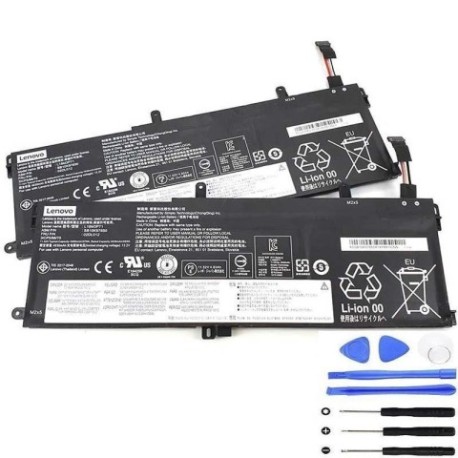
Introduction
Keep your Lenovo ThinkPad running at peak performance with our authorised replacement battery. The L18M3P71 57Wh battery is designed to meet original specifications and provide reliable power for your business or personal computing needs across Australia and New Zealand.
Common signs you need a replacement
| Symptoms | Possible Causes | How to Verify | Recommendation |
|---|---|---|---|
| Battery won’t hold charge | Ageing cells, deep discharge | Check power settings, run diagnostics | Consider replacement if under 50% capacity |
| Laptop shuts down unexpectedly | Failing battery, poor connections | Monitor battery percentage drops | Replace if occurring regularly |
| Battery swelling or overheating | Internal damage, manufacturing defect | Visual inspection, temperature check | Replace immediately for safety |
| Short battery life | Worn-out cells, high power consumption | Compare to original runtime | Replace if significantly reduced |
| Charging indicator issues | Battery communication failure | Check LED behaviour, system reports | Replace if persistent charging errors |
How to check compatibility
Verify your laptop model matches our compatibility list above. Check your current battery’s part number (usually printed on the battery) or look up your laptop’s model number (found on the bottom case or in system information). Cross-reference with our authorised compatibility database for peace of mind.
When to replace
Replace your battery when it holds less than 50% of its original capacity, shows physical damage like swelling, or causes unexpected shutdowns. Most Lenovo batteries last 2-3 years with regular use. Consider proactive replacement if you rely on mobile computing for business.
Installation guide (overview)
Power down your laptop and disconnect from power. Remove the bottom cover (consult your model’s service manual). Disconnect the battery connector and remove any securing screws. Install the new battery, reconnect the connector, and reassemble. Allow the battery to charge fully before first use.
Usage & care tips
Avoid extreme temperatures (ideal range 15-25°C). Don’t leave your laptop plugged in constantly – occasional discharge cycles help maintain battery health. Store in a cool, dry place if not used for extended periods. Keep firmware updated for optimal battery management.
Safety & recycling in AU/NZ
Never attempt to open or modify the battery. Dispose of old batteries at authorised recycling centres – never in household waste. In Australia, use Batteryback or council e-waste services. In New Zealand, utilise Computer Recycling programmes or transfer stations. Lithium-ion batteries require proper handling.
FAQ
How long does shipping take to Australia/New Zealand?
Most orders arrive within 5-10 business days depending on your location.
Is this battery genuine Lenovo?
This is a high-quality replacement battery designed to meet original specifications and performance standards.
What warranty do you offer?
We provide a 12-month warranty covering manufacturing defects and performance issues.
Can I use this battery with different ThinkPad models?
Only use with compatible models listed above to ensure proper fit and safety.
How do I calibrate the new battery?
Charge to 100%, use until it shuts down, then recharge fully. Repeat this cycle 2-3 times for optimal calibration.
What’s the battery capacity in millimetres?
The battery dimensions are approximately 260mm x 70mm x 20mm (varies slightly by model).
Do you provide installation service?
We provide detailed instructions, but recommend professional installation if you’re not comfortable with laptop disassembly.