HP ET04XL 49.81Wh Battery Replacement Guide
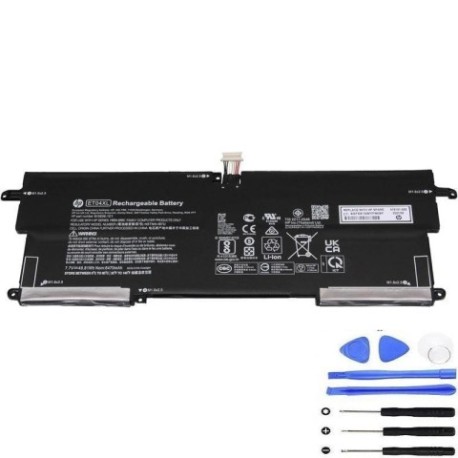
Battery models & part numbers
| Reference / P/N |
|---|
| HP ET04 |
| HP ET04049XL |
| HP ET04049XL-PL |
| HP HSN-I09C |
| HP HSTNN-IB7U |
| HP-ET04XL-49.81Wh |
Compatible laptop models
| Model |
|---|
| HP 915030-1C1 |
| HP 915191-855 |
| HP EliteBook X360 1020 G2s |
Introduction
This comprehensive guide covers everything you need to know about replacing your HP laptop battery with the genuine HP ET04XL 49.81Wh replacement battery. Whether you’re experiencing battery issues or planning ahead, we’ll walk you through the entire process.
Common signs you need a replacement
| Symptoms | Causes | Verification | Recommendation |
|---|---|---|---|
| Battery drains quickly | Ageing cells, reduced capacity | Check battery health in system settings | Replace if capacity below 60% |
| Laptop won’t hold charge | Failed battery cells | Test with power adapter removed | Immediate replacement needed |
| Battery swelling | Chemical degradation | Visual inspection, trackpad lifting | Replace immediately for safety |
| Overheating during use | Internal resistance increase | Monitor temperature, check vents | Replace to prevent damage |
How to check compatibility
Verify your laptop model matches one of the compatible models listed above. Check your current battery’s part number (usually printed on the battery) against our reference list. For HP EliteBook X360 1020 G2s models, ensure you have the correct battery variant for your specific configuration.
When to replace
Replace your battery when you notice significant performance degradation, typically after 2-3 years of regular use. Most lithium-ion batteries maintain about 80% capacity after 300-500 charge cycles. If your laptop shuts down unexpectedly or won’t operate without being plugged in, replacement is urgent.
Installation guide (overview)
Power down your laptop completely and disconnect from power. Remove the bottom panel (usually requires a Phillips screwdriver). Disconnect the battery connector from the motherboard. Remove any securing screws and carefully lift out the old battery. Install the new HP ET04XL battery, reconnect the connector, and reassemble. Always consult your device’s service manual for detailed instructions.
Usage & care tips
For optimal battery life: avoid extreme temperatures (ideal range 15-25°C), don’t leave your laptop plugged in constantly, perform occasional full discharge cycles, and store in a cool, dry place if not using for extended periods. Keep your battery between 20-80% charge for daily use to maximise lifespan.
Safety & recycling in AU/NZ
In Australia and New Zealand, lithium batteries must be recycled properly. Do not dispose of in household waste. Many electronics retailers offer free battery recycling services. Check with your local council for authorised battery recycling centres. Damaged or swollen batteries should be handled with care and recycled immediately.
FAQ
How long does shipping take to AU/NZ?
Standard shipping to Australia and New Zealand typically takes 7-14 business days. Express options are available for faster delivery.
Is this battery genuine HP?
Yes, this is a genuine HP replacement battery with full manufacturer warranty and compatibility assurance.
What’s the warranty period?
This battery comes with a standard 12-month warranty covering manufacturing defects and performance issues.
Can I install it myself?
Yes, most users can install it following our guide, but if unsure, seek professional assistance from an authorised service centre.
Will it work with my charger?
Yes, it’s compatible with your original HP charger and maintains the same charging specifications.
How do I calibrate the new battery?
Charge to 100%, use until it shuts down, then charge uninterrupted to 100% again. This helps the battery gauge accuracy.
What if my model isn’t listed?
Contact our support team with your laptop’s exact model number for compatibility verification.