Battery models & part numbers
| Reference / P/N |
|---|
| Lenovo 02DL013 |
| Lenovo 02DL014 |
| Lenovo 02DL015 |
| Lenovo 02DL016 |
| Lenovo 3ICP5/88/70 |
| Lenovo 5B10W13878 |
| Lenovo 5B10W13909 |
| Lenovo 5B10W13910 |
| Lenovo 5B10W13911 |
| Lenovo 5B10W13912 |
| Lenovo 5B10W13955 |
| Lenovo 5B10W51836 |
| Lenovo 5B10W51837 |
| Lenovo 5B10W51839 |
| Lenovo 5B10W51840 |
| Lenovo L18L3PD1 |
| Lenovo L18M3PD1 |
| Lenovo SB10K97651 |
| Lenovo-L18C3PD2-57Wh |
Compatible laptop models
| Model |
|---|
| Lenovo ThinkPad T14s (20T1/20T0) |
| Lenovo ThinkPad T14s (20UH/20UJ) |
| Lenovo ThinkPad T14s Gen 1 (20UH/20UJ) |
| Lenovo ThinkPad T490 (20N2/20N3) |
| Lenovo ThinkPad T490 (20Q9/20QH) |
| Lenovo ThinkPad T490 (20RY/20RX) |
| Lenovo ThinkPad T490s (20NX/20NY) |
| Lenovo ThinkPad T490s T495s T14s |
| Lenovo ThinkPad T495s (20QJ) |
| Lenovo ThinkPad T495s (20QK) |
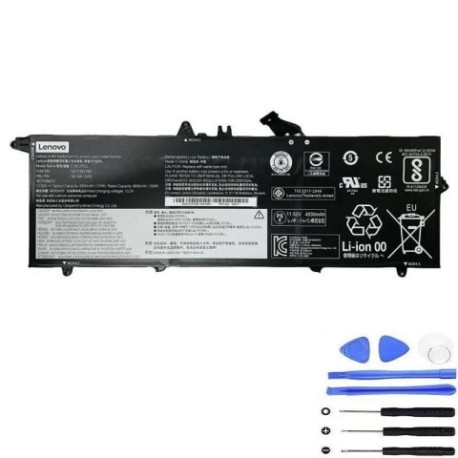
Introduction
Keep your Lenovo ThinkPad running at peak performance with our authorised replacement battery. The L18C3PD2 57Wh battery is designed specifically for compatible ThinkPad models, ensuring reliable power and extended usage time.
Common signs you need a replacement
| Symptoms | Causes | Verification | Recommendation |
|---|---|---|---|
| Battery drains quickly | Ageing cells, reduced capacity | Check battery health in system settings | Consider replacement if under 50% capacity |
| Laptop shuts down unexpectedly | Failing battery unable to hold charge | Monitor battery percentage drops | Replace immediately to prevent data loss |
| Battery won’t charge fully | Damaged charging circuit or cells | Check charging indicator and percentage | Replace battery if persistent issue |
| Battery swelling or overheating | Internal damage or manufacturing defect | Visual inspection, temperature check | Replace immediately for safety |
| System reports battery error | Communication failure with battery | Check device manager for errors | Replace battery to resolve |
How to check compatibility
Verify your laptop model matches our compatibility list above. Check your current battery’s part number (usually printed on the battery) or use Lenovo’s official support website with your serial number.
When to replace
Replace your battery when it holds less than 50% of its original capacity, shows physical damage, causes unexpected shutdowns, or is over 2-3 years old with regular use.
Installation guide (overview)
1. Power off laptop and disconnect charger
2. Remove bottom cover screws
3. Carefully disconnect old battery connector
4. Remove mounting screws and old battery
5. Install new battery and reconnect
6. Replace cover and power on
7. Allow full charge cycle before use
Usage & care tips
• Avoid complete discharge cycles
• Store between 15-25°C when not in use
• Calibrate battery monthly by full discharge/charge
• Use original charger for optimal performance
• Keep battery contacts clean
Safety & recycling in AU/NZ
Always purchase from authorised retailers. Damaged batteries should be recycled at designated e-waste centres. Never dispose of lithium batteries in household waste due to fire risk.
FAQ
How long does delivery take in Australia?
Most orders arrive within 3-7 business days depending on your location.
Is this battery genuine Lenovo?
This is a high-quality replacement battery designed to meet or exceed original specifications.
What warranty do you offer?
We provide a 12-month warranty covering manufacturing defects.
Can I install this battery myself?
Yes, most ThinkPad models have user-replaceable batteries with simple installation procedures.
How do I recycle my old battery?
Take it to any Battery World, Officeworks, or council recycling centre that accepts e-waste.
Will this battery work with my charger?
Yes, it’s compatible with all standard Lenovo ThinkPad chargers for these models.
What’s the battery lifespan?
Typically 2-3 years with normal use, or 500-800 charge cycles.