Battery models & part numbers
| Reference / P/N |
|---|
| Lenovo L15C3A03 |
| Lenovo L15L3A03 |
| Lenovo-L15S3A02-24Wh |
Compatible laptop models
| Model |
|---|
| Lenovo 5B10L04166 |
| Lenovo 5B10L04167 |
| Lenovo 5B10L04215 |
| Lenovo 5B10L79278 |
| Lenovo IdeaPad 110-14AST (80TQ) |
| Lenovo IdeaPad 110-14IBR (80T6/80UJ) |
| Lenovo IdeaPad 110-15ACL (80TJ) |
| Lenovo IdeaPad 110-15ACL (80V7) |
| Lenovo IdeaPad 110-15AST (80TR) |
| Lenovo IdeaPad 110-15IBR (80T7/80W2) |
| Lenovo IdeaPad B110-14IBR (80UQ) |
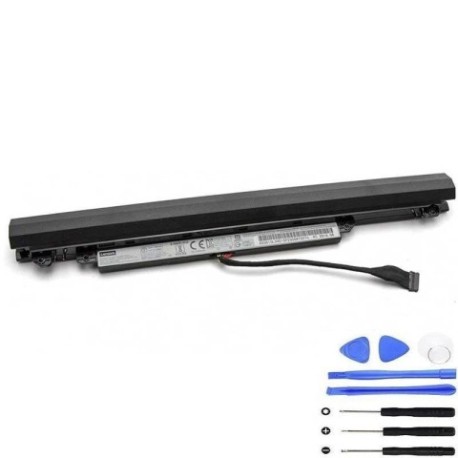
Introduction
Keep your Lenovo laptop running at peak performance with our authorised replacement battery. This 24Wh power solution is designed specifically for compatible Lenovo models used by Australian and New Zealand consumers.
Common signs you need a replacement
| Symptoms | Causes | Verification | Recommendation |
|---|---|---|---|
| Battery drains quickly | Ageing cells | Check power settings | Consider replacement |
| Laptop won’t hold charge | Worn components | Monitor battery health | Replace battery |
| Swelling or overheating | Internal damage | Visual inspection | Immediate replacement |
| Random shutdowns | Power instability | System diagnostics | Battery replacement |
How to check compatibility
Verify your laptop model matches our compatibility list above. Check your current battery’s part number or your laptop’s model number located on the bottom casing or in system information.
When to replace
Replace your battery when you notice significant performance decline, typically after 2-3 years of regular use, or when capacity drops below 60% of original specification.
Installation guide (overview)
Power down your laptop completely. Remove the bottom panel, disconnect the old battery connector, and carefully install the new battery. Reassemble and charge fully before first use.
Usage & care tips
Maintain optimal battery health by avoiding extreme temperatures (store between 15-25°C), performing regular calibration cycles, and keeping contacts clean. Use only authorised chargers.
Safety & recycling in AU/NZ
Dispose of old batteries responsibly through local council recycling programmes or authorised e-waste collection centres. Never dispose of in household waste due to environmental regulations.
FAQ
How long does delivery take in Australia?
Typically 3-7 business days depending on your location.
Is this battery covered by warranty?
Yes, all our batteries include a comprehensive warranty for Australian consumers.
Can I use this battery in New Zealand?
Yes, this battery is compatible with power standards in both Australia and New Zealand.
What’s the battery capacity?
This is a 24Wh lithium-ion battery designed for optimal performance.
How do I check my current battery health?
Use your laptop’s built-in power management tools or third-party battery monitoring software.
Is professional installation required?
While DIY installation is possible, we recommend professional installation for warranty purposes.
What if my model isn’t listed?
Contact our support team with your laptop’s exact model number for compatibility verification.