Battery models & part numbers
| Reference / P/N |
|---|
| Dell 05MVGP |
| Dell 0D4CMT |
| Dell 451-BCLR |
| Dell 4YFVG |
| Dell 5MVGP |
| Dell 83XPC |
| Dell CPL-D4CMT |
| Dell D4CMT |
| Dell DJWGP |
| Dell-93FTF-51Wh |
Compatible laptop models
| Model |
|---|
| Dell Latitude (5495) |
| Dell Latitude (5590) |
| Dell Latitude 12 (5280) |
| Dell Latitude 12 (5288) |
| Dell Latitude 12 (5290) |
| Dell Latitude 14 (5480) |
| Dell Latitude 14 (5490) |
| Dell Latitude 14 (5495) |
| Dell Latitude 15 (5580) |
| Dell Latitude 15 (5590) |
| Dell Latitude 15 (5591) |
| Dell Latitude 5288 |
| Dell Latitude 5290 |
| Dell Latitude 5480 |
| Dell Latitude 5490 |
| Dell Precision 15 (3520) |
| Dell Precision 15 (3530) |
| Dell Precision 3530 |
Introduction
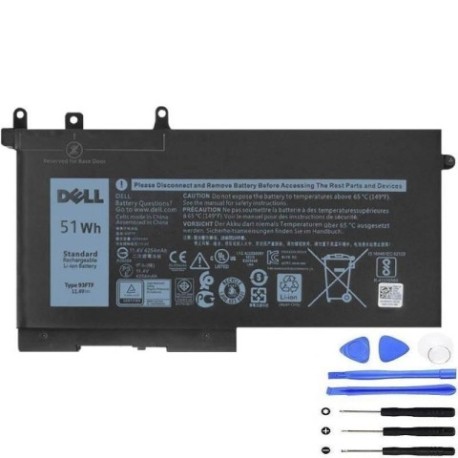
Keep your Dell laptop running at peak performance with our authorised replacement battery. The Dell 93FTF 51Wh battery is designed to meet original equipment specifications, ensuring reliable power for your business or personal computing needs across Australia and New Zealand.
Common signs you need a replacement
| Symptom | Cause | Verification | Recommendation |
|---|---|---|---|
| Short battery life | Ageing cells, reduced capacity | Check power settings, monitor usage | Consider replacement if under 2 hours |
| Laptop shuts down unexpectedly | Battery cannot hold charge | Test with power adapter disconnected | Immediate replacement advised |
| Battery not charging fully | Faulty charging circuit or cells | Check charging indicator and percentage | Replace if stuck below 80% capacity |
| Battery swelling or overheating | Internal damage or defect | Visual inspection, temperature check | Stop using immediately and replace |
| System reports battery error | Communication failure with battery | Check device manager or BIOS | Replace battery to resolve errors |
How to check compatibility
Verify your laptop model matches our compatibility list above. You can also check your current battery’s part number (usually printed on the battery itself) or use Dell’s official support website with your service tag. For Australian and New Zealand customers, ensure you’re purchasing from authorised suppliers to guarantee compatibility and warranty coverage.
When to replace
Replace your battery when it holds less than 50% of its original capacity, shows physical damage, or causes system instability. Most Dell batteries last 2-3 years with regular use. If your laptop is constantly plugged in, consider replacing every 18-24 months to maintain optimal performance.
Installation guide (overview)
1. Power off your laptop and disconnect all cables
2. Remove the bottom panel (consult your model’s service manual)
3. Disconnect the battery connector from the motherboard
4. Remove any screws securing the battery
5. Install the new battery and reconnect all components
6. Allow the battery to charge fully before first use
Usage & care tips
• Avoid extreme temperatures (ideal range 15-25°C)
• Calibrate your battery monthly by fully charging then discharging
• Store at 40-60% charge if not using for extended periods
• Use original Dell chargers for optimal performance
• Keep battery contacts clean and free from dust
Safety & recycling in AU/NZ
In Australia and New Zealand, lithium-ion batteries must be recycled responsibly. Do not dispose of in household waste. Many electronics retailers offer free battery recycling services. Look for authorised recycling centres in your area. Damaged or swollen batteries should be handled with care and recycled immediately.
FAQ
How long does shipping take to Australia/New Zealand?
Most orders arrive within 5-10 business days depending on your location.
Is this battery covered by warranty?
Yes, our batteries come with a 12-month warranty for peace of mind.
Will this battery work with my Dell laptop purchased in AU/NZ?
Yes, our batteries are compatible with all regional variants of the supported models.
How do I check my current battery’s health?
Use Dell’s Power Manager software or check battery report in Windows settings.
Can I install this battery myself?
Yes, most Dell laptops have user-replaceable batteries with simple installation.
What’s the difference between 51Wh and other capacities?
51Wh provides balanced performance and runtime for business laptops.
Do you offer installation services in Australia?
While we don’t provide installation, many local computer repair shops can assist.