Battery models & part numbers
| Reference / P/N |
|---|
| 45N1164 |
| 45N1165 |
| 45N1166 |
| 45N1167 |
| Lenovo-45N1164-63Wh |
| PXD3X2 |
Compatible laptop models
| Model |
|---|
| Lenovo ThinkPad S531 (20B0) |
| Lenovo ThinkPad S540 (20B3) |
| Lenovo ThinkPad S540 Touch (20B3) |
Introduction
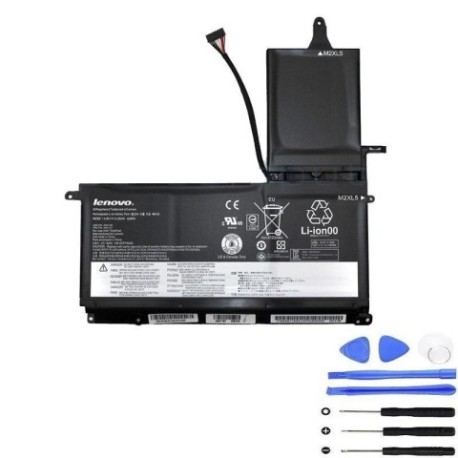
Keep your Lenovo ThinkPad running at peak performance with our genuine replacement battery. This 63Wh power solution is specifically designed for your S series laptop, ensuring reliable operation throughout your workday.
Common signs you need a replacement
| Symptoms | Causes | Verification | Recommendation |
|---|---|---|---|
| Short battery life | Ageing cells | Check power settings | Consider replacement |
| Laptop shuts down unexpectedly | Battery degradation | Monitor battery health | Replace battery |
| Battery won’t charge fully | Charging circuit issues | Test with different charger | Inspect charging system |
| Battery swelling | Internal damage | Visual inspection | Replace immediately |
How to check compatibility
Verify your laptop model matches our compatibility list above. Check your current battery’s part number or consult your laptop’s documentation. For additional confirmation, contact our support team with your laptop’s serial number.
When to replace
Replace your battery when it holds less than 50% of its original capacity, shows physical damage, or causes system instability. Most batteries last 2-3 years with regular use before requiring replacement.
Installation guide (overview)
Power down your laptop and disconnect all cables. Remove the bottom panel, disconnect the old battery, and install the new one following the connector orientation. Secure the battery and reassemble your laptop.
Usage & care tips
Avoid extreme temperatures (store between 15-25°C), don’t leave your laptop plugged in constantly, and perform regular calibration cycles. Keep your battery between 20-80% charge for optimal lifespan.
Safety & recycling in AU/NZ
Dispose of old batteries at authorised recycling centres. Never puncture or expose batteries to fire. In Australia and New Zealand, battery recycling is available at most electronics retailers and council waste facilities.
FAQ
How long does shipping take in Australia?
Most orders arrive within 3-7 business days depending on your location.
Is this battery genuine Lenovo?
Yes, this is an authentic Lenovo replacement part with full compatibility.
What warranty do you offer?
All our batteries come with a 12-month warranty covering manufacturing defects.
Can I use this battery in New Zealand?
Absolutely, this battery is compatible with both Australian and New Zealand voltage standards.
How do I check my current battery’s health?
Use Lenovo’s built-in diagnostics or check your operating system’s battery health report.
Is installation difficult?
Most users can install it in 10-15 minutes with basic tools. We provide detailed instructions.
What if my model isn’t listed?
Contact our support team with your laptop details for compatibility verification.