HP TG03XL 32Wh Battery Replacement Guide
Find the perfect replacement battery for your HP laptop with our comprehensive compatibility guide and installation instructions.
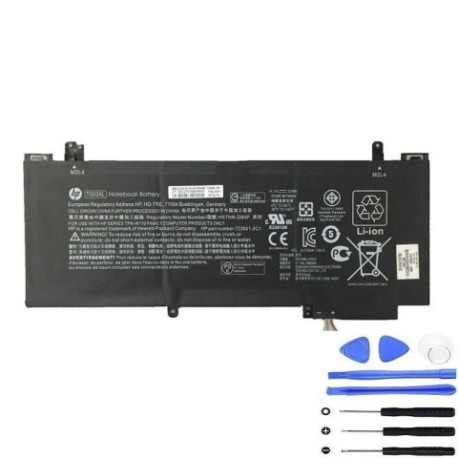
Battery models & part numbers
| Reference / P/N |
|---|
| 723921-1B1 |
| 723921-1C1 |
| 723921-2B1 |
| 723921-2C1 |
| 723996-001 |
| 752235-005 |
| HSTNN-DB5F |
| HSTNN-IB5F |
| HSTNN-IB6C |
| HSTNN-UB5G |
| HP-TG03XL-32Wh.jpg |
| TPN-W110 |
Compatible laptop models
| Model |
|---|
| HP Split X2 13-F010DX |
| HP Split X2 13-Fs |
Introduction
The HP TG03XL 32Wh battery is a high-quality replacement solution designed specifically for compatible HP laptop models. This guide provides everything Australian and New Zealand consumers need to know about battery replacement, from compatibility checking to installation and maintenance.
Common signs you need a replacement
| Symptom | Cause | Verification | Recommendation |
|---|---|---|---|
| Short battery life | Ageing cells | Check power settings | Replace battery |
| Laptop won’t charge | Battery failure | Test with power adapter | Replace battery |
| Battery swelling | Internal damage | Visual inspection | Immediate replacement |
| Overheating | Cell degradation | Temperature monitoring | Replace and check cooling |
How to check compatibility
Verify your laptop’s compatibility by checking the part number on your existing battery or consulting your laptop’s specifications in the system information. Cross-reference with our compatibility tables above to ensure perfect fit.
When to replace
Replace your battery when you notice significant reduction in runtime (less than 2 hours), charging issues, physical swelling, or if the battery is over 2-3 years old with regular use.
Installation guide (overview)
Power off your laptop and disconnect all cables. Remove the bottom panel, disconnect the old battery connector, remove mounting screws, install the new battery, reconnect the connector, and reassemble. Always refer to your specific model’s service manual for detailed instructions.
Usage & care tips
Avoid extreme temperatures (ideal range 15-25°C), don’t leave your laptop plugged in constantly, perform occasional full discharge cycles, and store in a cool, dry place when not in use for extended periods.
Safety & recycling in AU/NZ
In Australia and New Zealand, lithium-ion batteries must be recycled through authorised collection centres. Never dispose of batteries in household waste. Check with your local council for battery recycling options.
FAQ
How long does the HP TG03XL battery last?
Typically 2-4 hours depending on usage and laptop settings.
Is this battery compatible with my HP Split X2?
Yes, if your model matches those listed in our compatibility tables.
Do you provide warranty?
Check with the retailer for specific warranty details on authorised replacements.
How do I recycle my old battery?
Use designated battery recycling centres available through most electronics retailers.
Can I install this battery myself?
Yes, with basic technical skills and proper tools, though professional installation is recommended.
What’s the battery capacity?
32Wh as specified in the model name.
How long for delivery in Australia?
Typically 3-7 business days depending on your location.