Battery models & part numbers
| Reference / P/N |
|---|
| HP 633734-151 |
| HP 633734-421 |
| HP 633807-001 |
| HP HSTNN-I98C-7 |
| HP HSTNN-LB2S |
| HP ProBook 4730ss |
| HP ProBook 4740ss |
| HP QK647AA |
| HP-PR08-73Wh |
Compatible laptop models
| Model |
|---|
| HP ProBook 4730s |
| HP ProBook 4740s |
Introduction
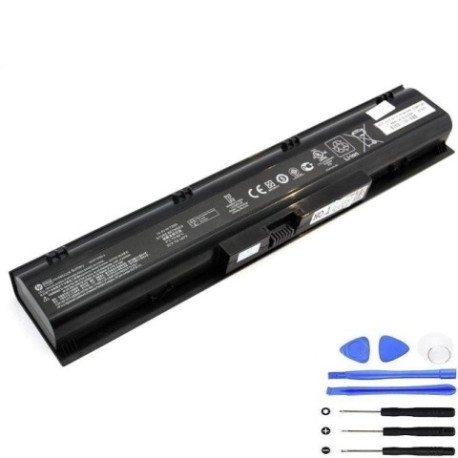
Keep your HP laptop running smoothly with a genuine HP PR08 73Wh battery replacement. This guide helps AU/NZ customers identify compatibility, recognise replacement signs, and install safely.
Common signs you need a replacement
| Symptom | Cause | Verification | Recommendation |
|---|---|---|---|
| Short battery life | Ageing cells | Check power settings | Replace if under 1 hour |
| Laptop shuts down unexpectedly | Voltage drops | Monitor battery health | Test with charger |
| Battery not charging fully | Worn circuitry | Use diagnostic tools | Inspect connections |
| Physical swelling or heat | Internal damage | Visual inspection | Replace immediately |
How to check compatibility
Match your laptop model or part number with the lists above. Verify the original battery’s label for HP-PR08-73Wh or compatible references.
When to replace
Replace when battery life falls below 50% of original capacity, or if physical damage or overheating occurs. In AU/NZ, typical lifespan is 2–3 years with daily use.
Installation guide (overview)
Power off and unplug the laptop. Remove the old battery by releasing latches or screws. Insert the new HP-PR08-73Wh, ensuring connectors align. Secure and power on.
Usage & care tips
Avoid full discharges; recharge at 20–80%. Store in cool, dry places (15–25°C). Calibrate monthly by fully charging and discharging. Use authorised chargers.
Safety & recycling in AU/NZ
Do not expose to high temperatures or moisture. Recycle old batteries at designated centres—check local council services for safe disposal options.
FAQ
How long does shipping take in AU/NZ? Usually 3–7 business days.
Is this battery genuine? Yes, it meets HP specifications.
Can I replace it myself? Yes, with basic tools and care.
What warranty is offered? Typically 12 months.
How do I check battery health? Use HP Support Assistant or system diagnostics.
Are returns accepted? Yes, if faulty or incompatible.
What if my model isn’t listed? Contact support with your laptop details.