HP MM02XL 37.6Wh Battery Replacement Guide
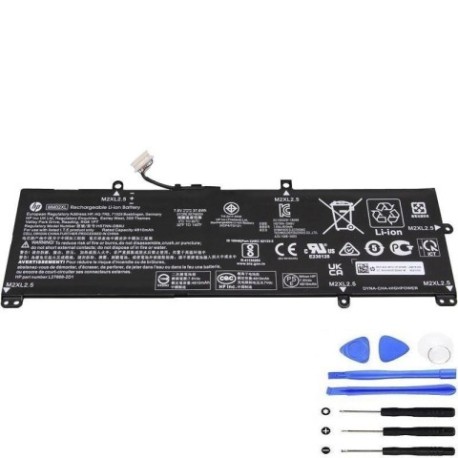
Battery models & part numbers
| Reference / P/N |
|---|
| HP-MM02XL-37.6Wh |
Compatible laptop models
| Model |
|---|
| HP HSTNN-DB8U |
| HP HSTNN-IB8Q |
| HP L27868-1C1 |
| HP L27868-2D1 |
| HP L28076-005 |
| HP MM02 |
| HP MM02037 |
| HP MM02037XL |
| HP Pavilion 13-an0000s |
| HP Pavilion 13-an0200s |
| HP Pavilion 13-an0300s |
Introduction
If your HP laptop is experiencing battery issues, our HP MM02XL 37.6Wh replacement battery is the authorised solution for multiple HP models. This guide helps Australian and New Zealand consumers understand when and how to replace their laptop battery safely.
Common signs you need a replacement
| Symptoms | Causes | Verification | Recommendation |
|---|---|---|---|
| Battery drains quickly | Ageing battery cells | Check battery health in system settings | Consider replacement if under 50% capacity |
| Laptop won’t hold charge | Battery degradation | Test with power adapter removed | Replace battery immediately |
| Battery swelling | Internal damage or overheating | Visual inspection | Stop using and replace urgently |
| Overheating during use | Faulty battery management | Monitor temperature readings | Replace to prevent damage |
How to check compatibility
Verify your laptop model matches one of the compatible models listed above. Check your laptop’s bottom label or system information for the exact model number. Cross-reference with our compatibility table to ensure proper fit and performance.
When to replace
Replace your battery when it holds less than 50% of its original capacity, shows physical damage, or causes system instability. Most laptop batteries last 2-4 years with regular use before needing replacement.
Installation guide (overview)
1. Power off your laptop and disconnect all cables
2. Remove the bottom panel using appropriate screwdrivers
3. Disconnect the old battery connector carefully
4. Remove any mounting screws securing the battery
5. Install the new HP MM02XL battery in reverse order
6. Reassemble and charge fully before first use
Usage & care tips
• Avoid extreme temperatures (ideal range 15-25°C)
• Don’t leave laptop plugged in constantly
• Perform regular calibration cycles
• Store in cool, dry conditions when not in use
• Use only authorised HP chargers
Safety & recycling in AU/NZ
In Australia and New Zealand, never dispose of lithium-ion batteries in household waste. Use dedicated battery recycling services available at most electronics retailers and council waste centres. Damaged or swollen batteries should be handled with care and recycled immediately.
FAQ
How long does shipping take in Australia?
Most orders arrive within 3-7 business days depending on your location.
Is this battery genuine HP?
This is a high-quality replacement battery designed to meet HP specifications and compatibility requirements.
What warranty do you offer?
Our batteries come with a 12-month warranty covering manufacturing defects.
Can I install this battery myself?
Yes, with basic technical skills and proper tools, most users can safely replace their laptop battery.
How do I recycle my old battery?
Take it to any authorised battery recycling centre or electronics retailer offering recycling services.
Will this battery work with my HP Pavilion?
Yes, if your Pavilion model is listed in our compatibility table above.
What’s the battery capacity?
This HP MM02XL battery has a 37.6Wh capacity, providing reliable performance for compatible HP laptops.