Battery models & part numbers
| Reference / P/N |
|---|
| 633733-151 |
| 633733-152 |
| 633733-1A1 |
| 633733-241 |
| 633733-251 |
| 633733-321 |
| 633735-241 |
| 633805-001 |
| 633809-001 |
| 650938-001 |
| HP-PR06-47Wh |
| HSTNN-DB2R |
| HSTNN-DB2T |
| HSTNN-DB3C |
| HSTNN-I02C |
| HSTNN-I97C-3 |
| HSTNN-I97C-4 |
| HSTNN-I98C-5 |
| HSTNN-I99C-3 |
| HSTNN-I99C-4 |
| HSTNN-IB2R |
| HSTNN-LB2R |
| HSTNN-OB2R |
| HSTNN-OB2T |
| HSTNN-Q87C-4 |
| HSTNN-Q87C-5 |
| HSTNN-Q88C-4 |
| HSTNN-Q88C-5 |
| HSTNN-Q89C |
| LQ501AV |
| MBI55540 |
| QK646AA |
| XB166AV |
Compatible laptop models
| Model |
|---|
| HP ProBook 4330ss |
| HP ProBook 4430ss |
| HP ProBook 4440ss |
| HP ProBook 4441ss |
| HP ProBook 4445ss |
| HP ProBook 4446ss |
| HP ProBook 4530ss |
| HP ProBook 4535ss |
| HP ProBook 4540ss |
| HP ProBook 4545ss |
| HP ProBook 4730ss |
Introduction
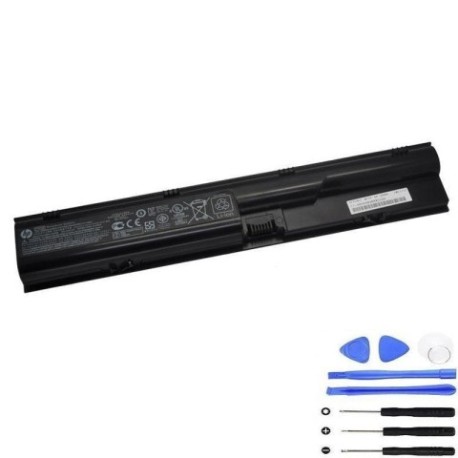
Keep your HP ProBook running at peak performance with our authorised HP PR06 47Wh replacement battery. This genuine-compatible battery is designed specifically for Australian and New Zealand conditions.
Common signs you need a replacement
| Symptom | Cause | Verification | Recommendation |
|---|---|---|---|
| Battery drains quickly | Reduced capacity from age/cycles | Check battery health in system settings | Replace if under 2 hours runtime |
| Laptop shuts down unexpectedly | Battery can’t maintain voltage | Monitor battery percentage drops | Immediate replacement needed |
| Battery won’t charge fully | Charging circuit failure | Check charging indicator light | Replace battery and test charger |
| Battery swelling/bulging | Internal chemical breakdown | Visual inspection of battery compartment | Stop using immediately and replace |
| Overheating during use | Inefficient power delivery | Check temperature with monitoring software | Replace to prevent damage |
How to check compatibility
Verify your laptop model matches our compatible list above. Check your current battery’s part number (usually printed on the battery) against our reference numbers. For HP ProBook models, compatibility is guaranteed when your model appears in our list.
When to replace
Replace your battery when runtime drops below 2 hours, charging takes longer than 4 hours, or you notice physical swelling. Most HP batteries last 2-3 years with regular use in AU/NZ climates.
Installation guide (overview)
1. Power off laptop and disconnect charger
2. Remove battery compartment cover
3. Disconnect old battery connector
4. Insert new HP PR06 battery
5. Reconnect and secure cover
6. Charge fully before first use
Usage & care tips
• Avoid complete discharges – charge at 20-30%
• Store between 15-25°C when not in use
• Calibrate monthly by fully charging then discharging
• Use original HP charger for optimal performance
• Keep battery contacts clean and dry
Safety & recycling in AU/NZ
Never dispose of batteries in household waste. Use authorised battery recycling centres available at most electronics retailers. In Australia, check B-cycle locations. In New Zealand, use e-waste recycling facilities. Damaged or swollen batteries require special handling – contact local waste authority.
FAQ
How long does shipping take in Australia?
Most orders arrive within 3-5 business days to metro areas, 5-7 days to regional centres.
Is this battery genuine HP?
This is a high-quality compatible battery meeting HP specifications, offering the same performance at a better price.
What warranty do you offer?
All our batteries come with 12 months warranty covering manufacturing defects.
Will this work with my ProBook charger?
Yes, this battery is designed to work with original HP ProBook chargers and compatible third-party options.
How do I maximise battery life?
Avoid extreme temperatures, don’t leave plugged in constantly, and perform monthly calibration cycles.
Can I return if it doesn’t fit?
Yes, we offer 30-day returns for compatibility issues – just verify your model matches our list first.
Is installation difficult?
Most HP ProBook batteries are user-replaceable with basic screwdrivers. Follow our guide or seek professional help if unsure.