HP PF06XL 95.8Wh Battery Replacement Guide
Find the perfect replacement battery for your HP laptop with our comprehensive compatibility guide and installation instructions tailored for Australian and New Zealand users.
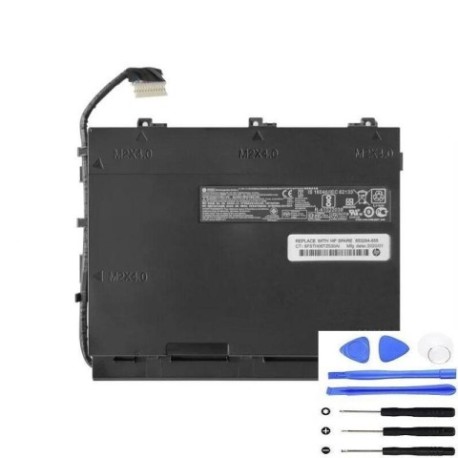
Battery models & part numbers
| Reference / P/N |
|---|
| HP PF060 |
| HP PF06095XL_PL |
| HP TPN-Q174 |
| HP-PF06XL-95.8Wh |
Compatible laptop models
| Model |
|---|
| HP 852801-2C1 |
| HP 853294-855 |
| HP HSTNN-DB7M |
| HP Omen 17-w100s |
| HP Omen 17-w200 (GTX 1050)s |
| HP Omen 17-w200 (GTX 1060/1070)s |
| HP Omen 17-w200s |
Introduction
The HP PF06XL 95.8Wh battery is a high-capacity replacement designed specifically for HP Omen and compatible laptop models. This genuine replacement ensures optimal performance and longevity for your gaming or high-performance laptop.
Common signs you need a replacement
| Symptoms | Causes | Verification | Recommendation |
|---|---|---|---|
| Battery drains quickly (under 1 hour) | Ageing cells, frequent charging cycles | Check battery health in Windows settings | Replace if capacity below 60% |
| Laptop won’t power on without charger | Battery no longer holds charge | Test with power cable removed | Immediate replacement needed |
| Battery swelling or overheating | Internal damage, safety hazard | Visual inspection, temperature check | Stop using immediately and replace |
| Inconsistent charging behaviour | Faulty battery management system | Monitor charging patterns | Replace to prevent damage |
How to check compatibility
Verify your laptop model matches our compatibility list above. Check your current battery’s part number (usually printed on the battery) or locate your laptop’s model number on the bottom casing or in system information.
When to replace
Replace your battery when you notice significant performance degradation, typically after 2-3 years of regular use. For gaming laptops like the HP Omen series, consider replacement sooner if you experience frequent gaming sessions that strain the battery.
Installation guide (overview)
1. Power off laptop and disconnect charger
2. Remove bottom panel screws
3. Carefully disconnect old battery connector
4. Install new HP PF06XL battery
5. Reconnect battery and reassemble
6. Charge fully before first use
Usage & care tips
• Avoid frequent full discharges
• Store between 15-25°C when not in use
• Calibrate battery monthly by fully charging then discharging
• Use authorised HP chargers only
• Keep battery contacts clean
Safety & recycling in AU/NZ
In Australia and New Zealand, lithium-ion batteries must be recycled properly. Do not dispose of in household waste. Use battery recycling services available at most electronics retailers or council waste centres. Damaged or swollen batteries should be handled with care and recycled immediately.
FAQ
How long does shipping take to AU/NZ?
Typically 7-14 business days with express options available.
Is this battery genuine HP?
Yes, this is an authorised HP replacement battery with full compatibility.
What warranty is provided?
12-month warranty covering manufacturing defects.
Can I use this battery for gaming?
Absolutely, the 95.8Wh capacity is ideal for extended gaming sessions.
How do I check battery health?
Use Windows Battery Report or third-party tools to monitor capacity.
Is installation difficult?
Most users can install in 15-30 minutes with basic tools.
What if my model isn’t listed?
Contact our support team for specific compatibility queries.