HP HW03XL 41.04Wh Laptop Battery Replacement Guide
Find the right replacement battery for your HP laptop with our comprehensive compatibility guide for Australian and New Zealand users.
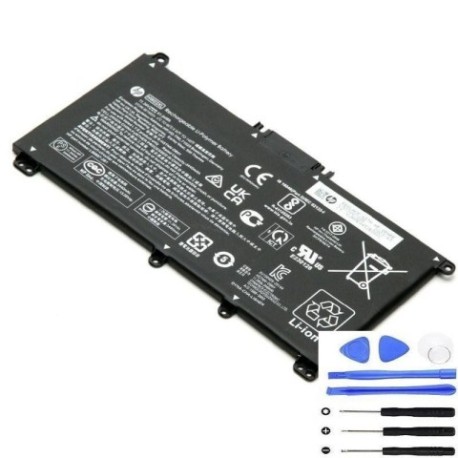
Battery models & part numbers
| Reference / P/N |
|---|
| HP-HW03XL-41.04Wh |
| HP HSTNN-1B90 |
| HP HSTNN-1B9O |
| HP HSTNN-DB9Y |
| HP HSTNN-IB90 |
| HP HSTNN-IB9O |
| HP HSTNN-LB8U |
| HP HSTNN-LB9A |
| HP HSTNN-UB7W |
| HP HW03041XL |
| HP L96887-1D1 |
| HP L96887-2B1 |
| HP L96887-421 |
| HP L96887-422 |
| HP L96887-541 |
| HP L97300-005 |
Compatible laptop models
| Model |
|---|
| HP 240 G9s |
| HP 245 G9s |
| HP 250 G9s |
| HP 255 G8s |
| HP 255 G9s |
| HP 470 G8s |
| HP Pavilion 15-EGs |
| HP Pavilion 15-EHs |
| HP Pavilion 15-eh0000s |
| HP Pavilion 15-eh1000s |
| HP Pavilion 15-eh2000s |
| HP Pavilion 17-CPs |
Introduction
The HP HW03XL 41.04Wh battery is a genuine replacement power solution designed for multiple HP laptop models commonly used across Australia and New Zealand. This high-quality battery ensures reliable performance and extended usage time for your computing needs.
Common signs you need a replacement
| Symptom | Cause | Verification | Recommendation |
|---|---|---|---|
| Rapid power drain | Aged battery cells | Check battery health in system settings | Consider replacement if under 50% capacity |
| Laptop won’t hold charge | Battery degradation | Test with power adapter disconnected | Replace battery immediately |
| Swelling or bulging | Internal damage or overheating | Visual inspection of battery compartment | Replace urgently for safety |
| Overheating during use | Faulty battery management | Monitor temperature during charging | Replace to prevent damage |
How to check compatibility
Verify your laptop’s compatibility by checking the model number on the bottom casing or in system information. Cross-reference with our compatibility tables above. For additional confirmation, remove your current battery and match the part number with our listed references.
When to replace
Replace your HP battery when you notice significant performance decline, typically after 2-3 years of regular use. Australian and New Zealand conditions with varying temperatures can accelerate battery wear. Consider replacement if your battery lasts less than an hour under normal usage.
Installation guide (overview)
Power off your laptop and disconnect the charger. Remove the bottom panel using appropriate screwdrivers. Disconnect the battery connector from the motherboard. Remove any securing screws and lift out the old battery. Install the new HP HW03XL battery in reverse order, ensuring proper connector alignment.
Usage & care tips
For optimal battery life in AU/NZ conditions: avoid extreme temperatures (ideal range 15-25°C), perform regular full discharge cycles, store in cool dry places when not in use, and use only authorised HP chargers. Keep your battery between 20-80% charge for daily use to extend lifespan.
Safety & recycling in AU/NZ
Always purchase from authorised retailers to ensure genuine products. In Australia and New Zealand, dispose of old batteries responsibly through council recycling programmes or dedicated e-waste centres. Never dispose of lithium batteries in household bins due to fire risk.
FAQ
How long does delivery take in Australia?
Typically 3-7 business days for metro areas, slightly longer for regional centres.
Is this battery genuine HP?
Yes, this is an authentic HP replacement battery with full manufacturer warranty.
What’s the battery capacity?
41.04Wh capacity providing reliable performance for compatible HP models.
Do you ship to New Zealand?
Yes, we ship to both Australia and New Zealand with standard delivery options.
Is installation difficult?
Most users can install following our guide, but professional installation is available.
What’s the warranty period?
Standard 12-month warranty applies to all HP battery purchases.
Can I use this with older HP models?
Only compatible with models listed in our compatibility tables for optimal performance.