Battery models & part numbers
| Reference / P/N |
|---|
| HP 707616-151 |
| HP 707616-541 |
| HP 707617-421 |
| HP 708457-001 |
| HP 708458-001 |
| HP 708468-001 |
| HP 757435-142 |
| HP 757661-001 |
| HP FP06047-CL |
| HP FP06XL |
| HP FP09 |
| HP H6L26AA |
| HP H6L27AA |
| HP H6L27ET |
| HP HP011211-C2T33G01 |
| HP HSTNN-C81C |
| HP HSTNN-DB4J |
| HP HSTNN-IB4J |
| HP HSTNN-IB6M |
| HP HSTNN-LB4J |
| HP HSTNN-LB4K |
| HP HSTNN-UB4J |
| HP HSTNN-W92C |
| HP HSTNN-W93C |
| HP HSTNN-W94C |
| HP HSTNN-W95C |
| HP HSTNN-W96C |
| HP HSTNN-W97C |
| HP HSTNN-W98C |
| HP HSTNN-W99C |
| HP HSTNN-YB4J |
| HP PF06051XL-CL |
| HP-FP06-47Wh |
Compatible laptop models
| Model |
|---|
| HP ProBook 440 G0s |
| HP ProBook 440 G1s |
| HP ProBook 450 G0s |
| HP ProBook 450 G1s |
| HP ProBook 455 G1s |
| HP ProBook 470 G0s |
| HP ProBook 470 G1s |
| HP ProBook 470 G2s |
Introduction
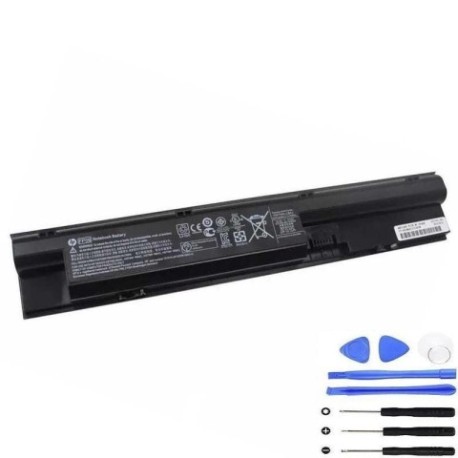
Keep your HP ProBook running smoothly with a genuine HP FP06 47Wh battery replacement. Compatible with multiple ProBook 440, 450, 455, and 470 series models, this battery ensures reliable performance for work and study.
Common signs you need a replacement
| Symptom | Cause | How to check | Recommendation |
|---|---|---|---|
| Short battery life | Ageing cells, reduced capacity | Check power settings, run battery report | Replace if under 2 hours usage |
| Laptop won’t hold charge | Battery degradation, faulty circuit | Test with power adapter disconnected | Replace immediately |
| Swelling or overheating | Internal damage, safety risk | Visual inspection, feel for bulges | Replace urgently, recycle safely |
| Random shutdowns | Voltage drops, poor connection | Monitor during use, check connections | Replace to prevent data loss |
How to check compatibility
Verify your laptop model and part number match the lists above. Check your current battery’s label or use HP Support Assistant for automatic detection.
When to replace
Replace your battery when runtime drops below 2 hours, you notice physical damage, or your laptop is over 2–3 years old with regular use.
Installation guide (overview)
Power off and unplug your laptop. Remove the old battery by releasing latches or screws. Insert the new battery, ensuring it clicks into place. Charge fully before first use.
Usage & care tips
Avoid extreme temperatures (ideal range 10°C–35°C). Calibrate monthly by fully discharging then charging. Store in a cool, dry place if unused.
Safety & recycling in AU/NZ
Only use authorised replacement batteries. In Australia and New Zealand, recycle old batteries at designated centres—never dispose of in household waste.
FAQ
How long does this battery last? Up to 4–5 hours depending on usage and settings.
Is installation difficult? No, most users can replace it in minutes with basic tools.
Does it come with a warranty? Yes, check the product page for current warranty details.
Can I use it while charging? Yes, it supports pass-through charging safely.
How do I recycle my old battery? Take it to any BatteryWorld, Officeworks, or similar recycling centre.
What if my model isn’t listed? Double-check your laptop’s exact model number and part number for compatibility.
Is this battery genuine HP? This is a high-quality replacement designed to meet HP specifications.