Battery models & part numbers
| Reference / P/N |
|---|
| HP HSTNN-LB8R |
| HP L77624-1C1 |
| HP L77624-1C2 |
| HP L77624-421 |
| HP L77624-422 |
| HP L78551-005 |
| HP-CX03XL-53Wh |
Compatible laptop models
| Model |
|---|
| HP EliteBook x360 830 G7s |
| HP EliteBook x360 830 G8s |
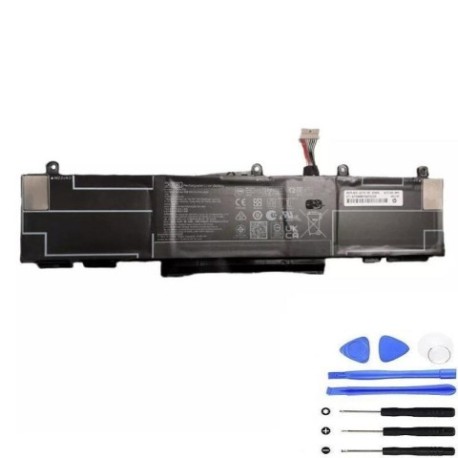
Introduction
Keep your HP EliteBook x360 830 series running at peak performance with our genuine replacement battery. This 53Wh power solution is specifically designed for Australian and New Zealand business users who rely on their laptops for productivity.
Common signs you need a replacement
| Symptoms | Causes | Verification | Recommendation |
|---|---|---|---|
| Battery drains quickly | Ageing cells, frequent charging cycles | Check battery health in HP Support Assistant | Consider replacement if under 50% capacity |
| Laptop shuts down unexpectedly | Voltage drops, cell failure | Monitor battery percentage during use | Replace immediately to prevent data loss |
| Battery won’t charge fully | Charging circuit issues, worn cells | Check charging status and time | Replace if charging takes over 4 hours |
| Laptop bulging or overheating | Battery swelling, internal damage | Visual inspection, temperature check | Replace urgently – safety hazard |
How to check compatibility
Verify your laptop model matches the compatible models listed above. Check your current battery part number by removing the battery or checking in HP Support Assistant. All part numbers beginning with HP-CX03XL or listed in our reference table are compatible.
When to replace
Replace your battery when it holds less than 50% of its original capacity, shows physical damage, or causes system instability. Most HP batteries last 2-3 years with regular use in Australian conditions.
Installation guide (overview)
1. Power down your laptop and disconnect the charger
2. Remove the bottom panel using a Phillips screwdriver
3. Disconnect the battery connector from the motherboard
4. Remove mounting screws and carefully lift out the old battery
5. Install the new battery and reconnect all components
6. Reassemble and charge fully before first use
Usage & care tips
• Avoid extreme temperatures (ideal range 10°C to 35°C)
• Calibrate your battery monthly by fully charging then discharging
• Store in cool, dry conditions when not in use
• Use only HP-authorised chargers for optimal performance
Safety & recycling in AU/NZ
Never dispose of batteries in household waste. In Australia, use Battery Recycling programmes at Officeworks, ALDI, or Battery World. In New Zealand, visit your local recycling centre or authorised battery collection points. Damaged or swollen batteries should be handled with care and recycled immediately.
FAQ
How long does this battery last on a single charge?
Up to 8 hours with standard office use, depending on screen brightness and applications running.
Is this battery genuine HP?
Yes, this is an authentic HP replacement part with full manufacturer warranty.
Do you ship to regional Australia and New Zealand?
Yes, we deliver to all metropolitan and regional areas across AU and NZ.
What warranty do you offer?
12-month replacement warranty covering manufacturing defects.
How do I recycle my old battery?
Contact your local council recycling centre or visit Officeworks/ALDI for free battery recycling.
Can I install this battery myself?
Yes, with basic technical skills and the right tools. Follow our installation guide or seek professional help.
What if my laptop model isn’t listed?
Contact our support team with your exact model number for compatibility verification.