HP CC03XL 53Wh Battery Replacement Guide
Find the perfect replacement battery for your HP laptop with our comprehensive compatibility guide and expert installation advice.
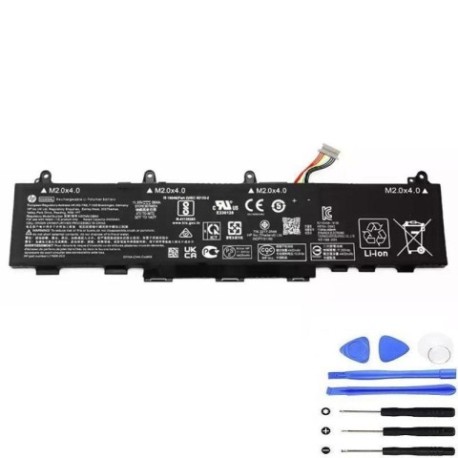
Battery models & part numbers
| Reference / P/N |
|---|
| HP CC03053XL-PL |
| HP HSTNN-IB9F |
| HP L77608-1B2 |
| HP L77608-1C2 |
| HP L78555-002 |
| HP L78555-005 |
| HP L78555-006 |
| HP-CC03XL-53Wh |
Compatible laptop models
| Model |
|---|
| HP EliteBook 830 G7s |
| HP EliteBook 835 G7s |
| HP EliteBook 840 Aero G8s |
| HP EliteBook 840 G8s |
| HP EliteBook 845 G7s |
| HP EliteBook 845 G8s |
| HP mt46 Mobile Thin Clients |
Introduction
The HP CC03XL 53Wh battery is a high-performance replacement power source designed for business-grade HP laptops. This genuine-compatible battery delivers reliable power for your mobile computing needs across multiple EliteBook series.
Common signs you need a replacement
| Symptoms | Causes | Verification | Recommendation |
|---|---|---|---|
| Battery drains quickly (under 1 hour) | Ageing cells, reduced capacity | Check battery health in HP Support Assistant | Replace if capacity below 60% |
| Laptop won’t hold charge | Failed battery circuitry | Try different power outlet | Immediate replacement needed |
| Battery swelling or overheating | Internal damage, safety risk | Visual inspection, temperature check | Replace immediately, do not use |
| Charging indicator issues | Battery communication failure | Reset battery in BIOS settings | Replace if reset doesn’t work |
How to check compatibility
Verify your laptop model matches our compatibility list above. Check your current battery’s part number (usually printed on the battery) against our reference numbers. For additional confirmation, use HP’s official support website with your laptop’s serial number.
When to replace
Replace your battery when it shows significant capacity loss (typically after 2-3 years of regular use), physical damage, swelling, or fails to hold charge. Most HP batteries last 300-500 charge cycles before noticeable degradation occurs.
Installation guide (overview)
Power off your laptop and disconnect the charger. Flip the laptop over and locate the battery release latch. Slide the latch to unlock and carefully remove the old battery. Align the new battery connectors and gently press into place until it clicks. Power on and allow the system to recognise the new battery.
Usage & care tips
For optimal battery life, avoid complete discharges and store between 20-80% charge when possible. Keep your laptop in cool environments (15-25°C) and avoid leaving it plugged in constantly. Calibrate your battery monthly by fully charging then discharging to maintain accurate power readings.
Safety & recycling in AU/NZ
Never attempt to open or modify lithium-ion batteries. Dispose of old batteries responsibly through authorised e-waste recycling centres. In Australia, use Batteryback or similar programmes. In New Zealand, utilise local council e-waste collection services. Never dispose of batteries in household rubbish.
FAQ
How long does shipping take to Australia/New Zealand?
Most orders arrive within 5-10 business days depending on your location. Express shipping options are available for faster delivery.
Is this battery genuine HP?
This is a high-quality compatible battery that meets or exceeds original specifications. It’s designed to work seamlessly with your HP laptop.
What warranty do you offer?
This battery comes with a 12-month warranty covering manufacturing defects and premature failure.
Will this battery work with my specific EliteBook model?
Yes, if your model appears in our compatibility list above, this battery is designed specifically for your device.
How do I maximise battery lifespan?
Avoid extreme temperatures, don’t leave your laptop plugged in constantly, and perform regular calibration cycles for optimal performance.
Can I install this battery myself?
Yes, most HP EliteBook batteries are user-replaceable. Follow our installation guide or consult HP’s official documentation.
What should I do with my old battery?
Recycle it responsibly through authorised e-waste facilities. Never dispose of lithium batteries in regular household waste.