If you own a Dell laptop in the United States and your battery no longer holds a charge, you may be asking:
“How do I know what battery is in my Dell laptop?”
Finding the correct Dell battery replacement matters—for both compatibility and safety. This guide walks you through the methods to identify your battery model with confidence.
1. Inspect the Battery Label
Start by removing the back cover of your laptop to view the battery label. You’ll find the part number printed clearly—examples include WDX0R, YRDD6, or 4K1VM.
Also check for Dell spare codes such as L11119-855. That number is key when searching for a compatible replacement.
2. Use Dell SupportAssist
Dell’s built-in tool, SupportAssist, can scan your system and display battery health, status, and sometimes the model number—perfect if you’d rather not open up your laptop.
3. Check via BIOS
Restart your machine and press F2 to access the BIOS menu. Under the Battery Information tab, you’ll often find battery type and condition details. While not always comprehensive, it’s useful for a quick check.
4. Use Your Service Tag / Express Service Code
In the U.S., Dell laptops include a Service Tag and accompanying Express Service Code. Provide this code to a reputable supplier, and they can precisely identify the correct battery—no guessing involved.
5. Choosing the Right Replacement
Once you’ve identified the part number, search for a genuine OEM Dell battery. Avoid generic or low-quality third-party options. OEM replacements—such as Dell WDX0R, YRDD6, or 4K1VM—offer accurate charging, improved runtimes, and built-in safety circuits.
Quick Summary
- Physically check your battery’s label for the part number (e.g., WDX0R, YRDD6, 4K1VM).
- Use SupportAssist or access BIOS to confirm battery details.
- Provide your Service Tag / Express Service Code to a supplier to ensure compatibility.
- Always choose genuine, OEM Dell batteries for safety and performance.
Recommended U.S. Supplier
For U.S. customers seeking peace of mind, we highly recommend ordering from Upgrade My Laptop.
Beyond simply listing products, they offer a valuable **Compatibility Assurance Service**: just share your laptop model, battery part number, or your Service Tag / Express Service Code, and their team will confirm the correct battery before shipping.
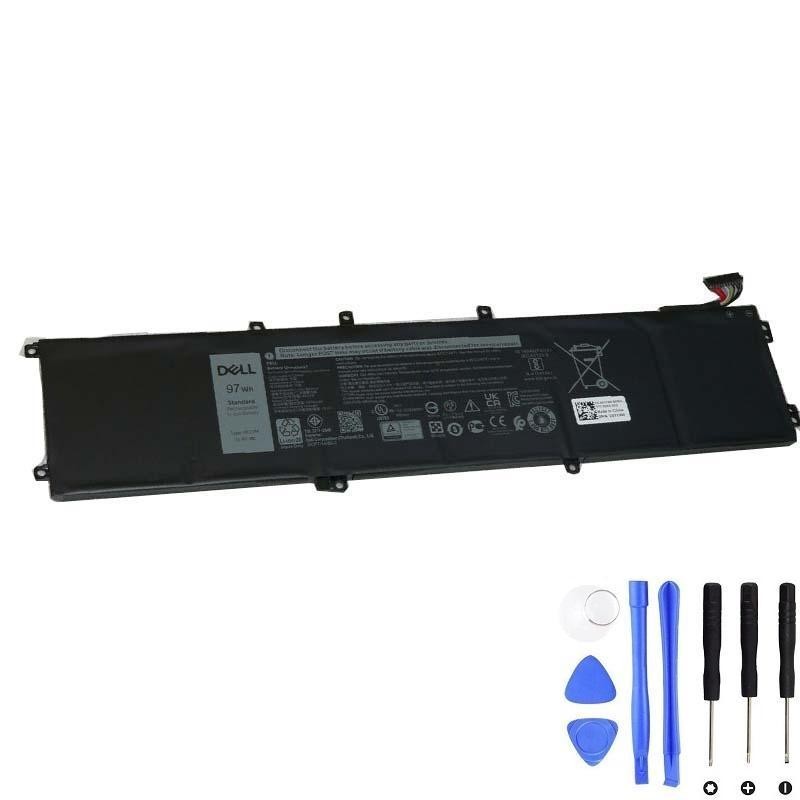
One of their most popular high-capacity options is the Dell Battery, ideal for users needing extended runtime without sacrificing reliability.
With this service, you can be confident you’re receiving the correct and genuine replacement. Whether it’s a standard 42Wh battery like WDX0R/YRDD6 or the higher-capacity 97Wh 4K1VM option, U.S. users benefit from a simple, safe, and reliable experience.
In closing, once you know which battery is installed—whether through label inspection, SupportAssist, BIOS, or Service Tag lookup—you’re well-equipped to order the right part with confidence. Happy computing!