Battery models & part numbers
| Reference / P/N |
|---|
| HP AL08 |
| HP AL08094XL |
| HP AL08094XL-PL |
| HP HSTNN-OB1S |
| HP L86155-1C1 |
| HP L86155-AC1 |
| HP L86155-AC2 |
| HP L86212-001 |
| HP-AL08XL-94Wh |
Compatible laptop models
| Model |
|---|
| HP ZBook Fury 15 G7s |
| HP ZBook Fury 15 G8s |
| HP ZBook Fury 17 G7s |
| HP ZBook Fury 17 G8s |
Introduction
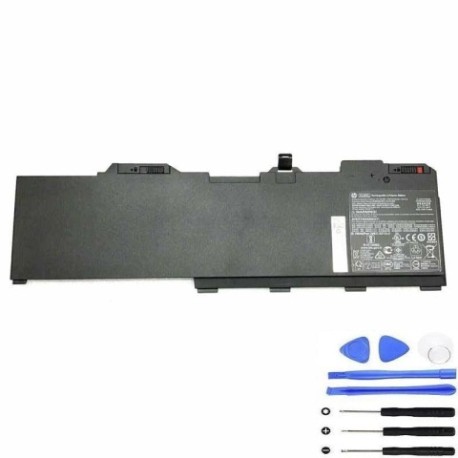
Keep your HP ZBook Fury performing at its best with our genuine HP AL08XL 94Wh replacement battery. This high-capacity battery is specifically designed for Australian and New Zealand professionals who rely on their mobile workstations.
Common signs you need a replacement
| Symptoms | Causes | Verification | Recommendation |
|---|---|---|---|
| Battery drains quickly | Ageing cells, reduced capacity | Check battery health in HP Support Assistant | Replace if capacity below 60% |
| Laptop shuts down unexpectedly | Voltage drops under load | Monitor battery percentage during use | Immediate replacement needed |
| Battery won’t hold charge | Failed cells, internal damage | Test with different power adapter | Replace battery immediately |
| Battery swelling or overheating | Internal short circuit | Visual inspection, temperature check | Stop using and replace urgently |
| Charging indicator issues | Battery communication failure | Check charging light behaviour | Replace battery and test |
How to check compatibility
Verify your laptop’s compatibility by checking the part number on your current battery or in HP Support Assistant. Cross-reference with our compatibility tables above. For ZBook Fury models, ensure your device matches the exact model numbers listed.
When to replace
Replace your battery when it holds less than 60% of its original capacity, shows physical damage, or causes system instability. Most HP batteries last 2-3 years with regular use in Australian conditions.
Installation guide (overview)
Power down your laptop and disconnect all cables. Remove the bottom panel using the appropriate screwdriver. Disconnect the battery connector and remove mounting screws. Install the new HP AL08XL 94Wh battery, reconnect all components, and reassemble. Always refer to official HP documentation for detailed instructions.
Usage & care tips
Store batteries at room temperature (15-25°C). Avoid complete discharges – recharge when battery reaches 20%. Calibrate monthly by fully charging then discharging. Keep connectors clean and dry. Use only HP-authorised chargers.
Safety & recycling in AU/NZ
Never dispose of batteries in household waste. In Australia, use Batteryback or council e-waste services. In New Zealand, utilise accredited e-waste recyclers. Damaged batteries should be handled by professionals. Always follow local regulations for battery disposal.
FAQ
How long does shipping take to Australia/New Zealand?
Standard shipping typically takes 7-14 business days to major Australian cities and 10-18 business days to New Zealand locations.
Is this battery genuine HP?
Yes, this is an authentic HP AL08XL 94Wh battery with full manufacturer warranty and compatibility.
What’s the warranty period?
This battery comes with a 12-month warranty covering manufacturing defects and performance issues.
Can I use this battery with older ZBook models?
No, this battery is specifically designed for ZBook Fury 15/17 G7 and G8 models only.
How do I check my current battery health?
Use HP Support Assistant or Windows Battery Report to check current capacity and health status.
What’s the difference between the various part numbers?
Different part numbers represent regional variations and packaging options – all are functionally identical HP AL08XL 94Wh batteries.
Is installation difficult?
Installation requires basic technical skill. If unsure, we recommend professional installation at an authorised HP service centre.