Battery models & part numbers
| Reference / P/N |
|---|
| 34053269 |
| 34061271 |
| 34068253 |
| 34074674 |
| 34076858 |
| 34080033 |
| 34080723 |
| CP715268-01 |
| CP715268-XX |
| CP721834-XX |
| CP734928-01 |
| CP734928-XX |
| CP753144-01 |
| CP753144-XX |
| CP778923-XX |
| CP790917-01 |
| CP790917-XX |
| CP807648-XX |
| CP813266-XX |
| CP815369-XX |
| FMVNBP247 |
| FPCBP529 |
| Fujitsu-FPB0338S-50Wh |
Compatible laptop models
| Model |
|---|
| Fujitsu LifeBook E4411 |
| Fujitsu LifeBook E448 |
| Fujitsu LifeBook E449 |
| Fujitsu LifeBook E4511 |
| Fujitsu LifeBook E458 |
| Fujitsu LifeBook E459 |
| Fujitsu LifeBook E5410 |
| Fujitsu LifeBook E5411 |
| Fujitsu LifeBook E548 |
| Fujitsu LifeBook E549 |
| Fujitsu LifeBook E5510 |
| Fujitsu LifeBook E5511 |
| Fujitsu LifeBook E558 |
| Fujitsu LifeBook E559 |
| Fujitsu LifeBook T937 |
| Fujitsu LifeBook T938 |
| Fujitsu LifeBook T939 |
| Fujitsu LifeBook U7410 |
| Fujitsu LifeBook U747 |
| Fujitsu LifeBook U748 |
| Fujitsu LifeBook U749 |
| Fujitsu LifeBook U7510 |
| Fujitsu LifeBook U757 |
| Fujitsu LifeBook U758 |
| Fujitsu LifeBook U759 |
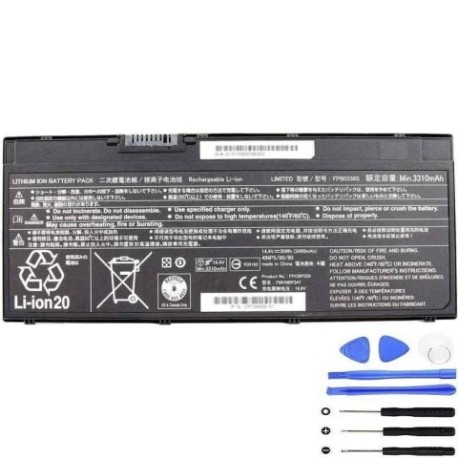
Introduction
Keep your Fujitsu LifeBook running at peak performance with our authorised replacement battery. The FPB0338S 50Wh battery is designed specifically for Australian and New Zealand conditions, providing reliable power for your business or personal computing needs.
Common signs you need a replacement
| Symptom | Cause | Verification | Recommendation |
|---|---|---|---|
| Short battery life | Ageing cells | Check power settings | Consider replacement |
| Laptop won’t hold charge | Battery degradation | Test with power meter | Replace battery |
| Swelling/bulging | Internal damage | Visual inspection | Replace immediately |
| Overheating | Faulty cells | Monitor temperature | Replace for safety |
How to check compatibility
Verify your laptop model matches our compatibility list above. Check the original battery part number on the underside of your laptop or in system information. Our battery is compatible with multiple Fujitsu LifeBook series including E, T, and U models.
When to replace
Replace your battery when runtime drops below 50% of original capacity, typically after 2-3 years of regular use. Look for warning signs like rapid discharge, inability to hold charge, or physical swelling.
Installation guide (overview)
1. Power off laptop and disconnect charger
2. Remove old battery (consult your model’s manual)
3. Insert new FPB0338S battery
4. Connect charger and charge fully before first use
5. Calibrate by fully charging and discharging once
Usage & care tips
• Avoid extreme temperatures (store between 15-25°C)
• Partial discharges are better than full cycles
• Remove battery if storing laptop for extended periods
• Keep contacts clean and free from debris
• Use only authorised chargers
Safety & recycling in AU/NZ
Always purchase from authorised suppliers. Do not attempt to open or modify batteries. In Australia, recycle through Batteryback or council e-waste programs. In New Zealand, use accredited e-waste recycling centres. Never dispose of in household waste.
FAQ
How long does this battery last?
Typically 2-3 years with normal use, or approximately 500 charge cycles.
Is this battery genuine Fujitsu?
This is a high-quality replacement battery designed to meet or exceed original specifications.
Do you offer warranty?
Yes, we provide a 12-month warranty on all our replacement batteries.
How do I check my current battery health?
Use your laptop’s power management software or third-party battery health tools to check capacity and cycle count.
Can I use this battery with different Fujitsu models?
Only with the compatible models listed above. Using with incompatible models may cause damage.
How long for delivery in Australia/New Zealand?
Standard delivery is 3-5 business days within AU/NZ metro areas.
What if my laptop isn’t on the compatibility list?
Contact our support team with your laptop model and we’ll help you find the correct battery.