Battery models & part numbers
| Reference / P/N |
|---|
| Asus 0B200-01250200 |
| Asus 0B200-01250300 |
| Asus C32N1523 |
| Asus C32PnC5 |
| Asus N501VW |
| Asus ROG G501VW |
| Asus Zenbook UX501V UX501VW |
| Asus-C41N1524-96Wh |
Compatible models
| Model |
|---|
| Asus 0B200-01250200 |
| Asus 0B200-01250300 |
| Asus C32N1523 |
| Asus C32PnC5 |
| Asus N501VW |
| Asus ROG G501VW |
| Asus Zenbook UX501V UX501VW |
| Asus-C41N1524-96Wh |
Introduction
If your Asus laptop is showing signs of battery fatigue, the C41N1524 96Wh replacement battery is the authorised solution for multiple ROG and Zenbook models. This high-capacity battery delivers reliable performance for demanding computing tasks.
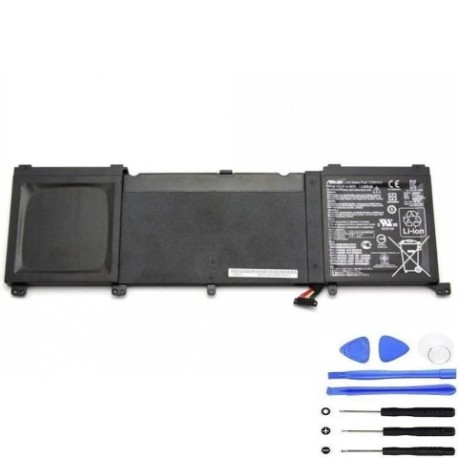
Common signs you need a replacement
| Symptoms | Causes | Verification | Recommendation |
|---|---|---|---|
| Battery drains quickly | Ageing cells, reduced capacity | Check battery health in Windows | Replace if capacity below 60% |
| Laptop shuts down unexpectedly | Voltage drops under load | Monitor during intensive tasks | Immediate replacement needed |
| Battery won’t charge fully | Charging circuit issues | Check charging indicator | Test with different charger |
| Battery swelling or overheating | Internal damage, safety risk | Visual inspection, temperature check | Stop using immediately |
How to check compatibility
Locate your laptop’s model number on the bottom case or under the battery compartment. For Asus ROG and Zenbook models, check the original battery’s part number or use Asus’s official support centre website with your serial number. The C41N1524 battery is specifically designed for the G501VW, UX501V series and compatible models listed above.
When to replace
Replace your battery when it holds less than 60% of its original capacity, shows physical damage, or causes system instability. For gaming laptops like the ROG G501VW, regular replacement every 2-3 years maintains optimal performance during intensive sessions.
Installation guide
Power off your laptop and disconnect all cables. Remove the bottom panel using a Phillips screwdriver. Disconnect the battery connector from the motherboard, remove the mounting screws, and carefully lift out the old battery. Install the new C41N1524 battery, reconnect the connector, and reassemble. For Asus models, ensure proper seating of the connector to avoid power issues.
Usage & care tips
Avoid extreme temperatures – store between 15-25°C. Calibrate your battery monthly by fully charging then discharging to maintain accuracy. For gaming laptops, use performance mode sparingly to extend battery life. Keep firmware updated through Asus’s support centre.
Safety & recycling in AU/NZ
Never puncture or disassemble lithium-ion batteries. In Australia and New Zealand, recycle old batteries at authorised collection points like Officeworks, Battery World, or council recycling centres. Do not dispose of in household waste due to fire risk.
FAQ
How long does the C41N1524 battery last?
Typically 2-4 years with normal use, or 500-800 charge cycles.
Is this battery compatible with my Asus Zenbook UX501VW?
Yes, the C41N1524 is specifically designed for the UX501V/UX501VW series.
Can I use my laptop while charging?
Yes, modern Asus laptops support pass-through charging for safe simultaneous use.
How do I check battery health in Windows?
Open Command Prompt as administrator and type “powercfg /batteryreport”.
What warranty comes with this battery?
Genuine replacements typically include 12-month warranty coverage.
Is installation difficult for beginners?
Moderate difficulty – requires basic technical skills and proper tools.
Where can I recycle my old battery in Australia?
Most electronics retailers and council waste centres accept battery recycling.