Battery models & part numbers
| Reference / P/N |
|---|
| Dell-WD52H-45Wh |
Compatible laptop models
| Model |
|---|
| Dell 0VFV59 |
| Dell 0W57CV |
| Dell 451-BBFX |
| Dell 451-BBOH |
| Dell FW2NM |
| Dell HJ8KP |
| Dell J31N7 |
| Dell KWFFN |
| Dell Latitude 12 (E7240) |
| Dell Latitude 12 (E7240-2624) |
| Dell Latitude 12 (E7240-2655) |
| Dell Latitude 12 (E7240-2679) |
| Dell Latitude 12 (E7240-2709) |
| Dell Latitude 12 (E7240-2716) |
| Dell Latitude 12 (E7240-7609) |
| Dell Latitude 12 (E7240-9035) |
| Dell Latitude 12 (E7250) |
| Dell Latitude 12 (E7250-0019) |
| Dell Latitude 12 (E7250-0086) |
| Dell Latitude 12 (E7250-5071) |
| Dell Latitude 12 (E7250-5755) |
| Dell Latitude 12 (E7250-5854) |
| Dell Latitude 12 (E7250-5892) |
| Dell Latitude 12 (E7250-5915) |
| Dell Latitude 12 (E7250-5946) |
| Dell Latitude 12 (E7250-5953) |
| Dell Latitude 12 (E7250-9905) |
| Dell Latitude 12 (E7250-9990) |
| Dell VFV59 |
| Dell W57CV |
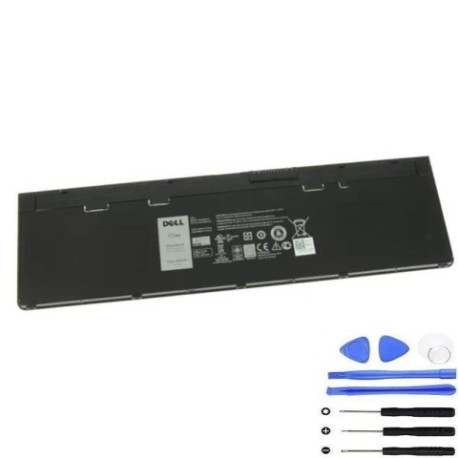
Introduction
Keep your Dell Latitude 12 series laptop running at peak performance with our genuine replacement battery. The Dell WD52H 45Wh battery is specifically designed for compatibility with multiple Dell laptop models across Australia and New Zealand.
Common signs you need a replacement
| Symptoms | Causes | Verification | Recommendation |
|---|---|---|---|
| Short battery life | Ageing cells | Check power settings | Consider replacement |
| Laptop won’t hold charge | Battery degradation | Monitor charge cycles | Replace battery |
| Swelling battery case | Internal damage | Visual inspection | Replace immediately |
| Overheating during use | Faulty components | Check temperature | Professional assessment |
How to check compatibility
Verify your laptop model matches our compatibility list above. Check your current battery’s part number or consult your laptop’s documentation. For Dell Latitude 12 series, ensure your specific model number is listed in our compatible models table.
When to replace
Replace your battery when you notice significant reduction in runtime, the battery won’t hold charge, or physical swelling occurs. Most laptop batteries need replacement after 2-3 years of regular use in AU/NZ conditions.
Installation guide (overview)
Power off your laptop and disconnect from power. Remove the old battery by releasing the latch mechanism. Align the new battery with the connectors and secure in place. Always follow manufacturer guidelines for safe installation.
Usage & care tips
Store batteries at room temperature (15-25°C). Avoid complete discharge cycles. Calibrate your battery monthly by fully charging then discharging. Keep contacts clean and free from dust.
Safety & recycling in AU/NZ
Dispose of old batteries at authorised recycling centres. Never dispose of lithium batteries in household waste. Check with your local council for battery recycling programs available in your area.
FAQ
How long does delivery take in Australia?
Typically 3-7 business days depending on your location.
Is this battery genuine Dell?
Yes, this is an authentic Dell replacement battery with full compatibility.
What warranty is provided?
12-month warranty covering manufacturing defects.
Can I use this battery in New Zealand?
Yes, compatible with both Australian and New Zealand voltage standards.
How do I check my current battery model?
Remove the battery and check the label for part numbers.
Is professional installation required?
No, most users can install themselves following our guide.
What if my model isn’t listed?
Contact our support team for compatibility verification.