Battery models & part numbers
| Reference / P/N |
|---|
| Dell 9JM71 |
Compatible laptop models
| Model |
|---|
| Dell Latitude 5320 |
| Dell Latitude 5320 P138G P138G001 |
| Dell Latitude 5320 P139G P139G001 |
| Dell Latitude 7320 |
| Dell Latitude 7320 P133G P133G001 |
| Dell Latitude 7320 P134G P134G001 |
| Dell Latitude 7420 |
| Dell Latitude 7420 P135G P135G001 |
| Dell Latitude 7420 P136G P136G001 |
| Dell Latitude 7520 |
| Dell Latitude 7520 P110F P110F001 |
Introduction
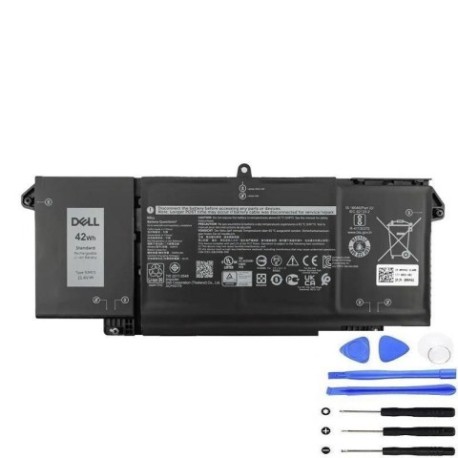
Keep your Dell Latitude laptop running smoothly with a genuine Dell 9JM71 42Wh replacement battery. Designed for reliability and performance, this battery ensures your device stays powered throughout your workday.
Common signs you need a replacement
| Symptoms | Causes | Verification | Recommendation |
|---|---|---|---|
| Short battery life | Ageing cells | Check power settings | Replace battery |
| Laptop not charging | Faulty connections | Inspect charger | Test with new battery |
| Swelling or overheating | Internal damage | Visual inspection | Replace immediately |
| Unexpected shutdowns | Low capacity | Monitor usage | Upgrade battery |
How to check compatibility
Ensure your laptop model matches one listed in the compatibility table above. You can also find the part number on your current battery or in your device’s system information.
When to replace
Replace your battery if it no longer holds a charge, shows physical damage, or causes performance issues. Regular replacement every 2-3 years maintains optimal laptop function.
Installation guide (overview)
Power off your laptop and disconnect all cables. Remove the bottom panel, disconnect the old battery, and secure the new one in place. Reassemble and charge fully before use.
Usage & care tips
Avoid extreme temperatures; store between 10°C and 35°C. Calibrate your battery monthly by fully draining and recharging. Use authorised chargers to prevent damage.
Safety & recycling in AU/NZ
Dispose of old batteries at designated recycling centres. Do not incinerate or puncture batteries. In Australia and New Zealand, many electronics retailers offer free battery recycling services.
FAQ
How long does the Dell 9JM71 battery last?
Typically 2-3 years with normal use, or about 500 charge cycles.
Is this battery compatible with my Latitude model?
Yes, if your model is listed in the compatibility table.
Can I install it myself?
Yes, with basic tools and care. Follow the installation guide.
What is the warranty?
Check the product page for current warranty details.
How do I recycle the old battery?
Take it to a local recycling centre or electronics store.
Does it come charged?
It may have a partial charge; we recommend a full charge before first use.
What if my laptop isn’t listed?
This battery is only for compatible models; verify your model before purchase.