Battery models & part numbers
| Reference / P/N |
|---|
| Asus C41N1906-2 |
| Asus-C41N1906-1-90WhLong |
Compatible models
| Model |
|---|
| Asus 0B200-03620000 |
| Asus 0B200-03900000 |
| Asus 0B200-03900100 |
| Asus FA506IC |
| Asus FA506IH |
| Asus FA506II |
| Asus FA506IHR |
| Asus FA506IU |
| Asus FA506IV |
| Asus FA506QM |
| Asus FA506QR |
| Asus FA706IC |
| Asus FA706IHR |
| Asus FA706IU |
| Asus FA706QM |
| Asus FA706QR |
| Asus FX506HC |
| Asus FX506HCB |
| Asus FX506HE |
| Asus FX506HEB |
| Asus FX506HM |
| Asus FX506LU |
| Asus FX706HC |
| Asus FX706HE |
| Asus FX706HEB |
| Asus FX706HM |
| Asus TUF A15 FA506IC |
| Asus TUF A15 FA506IH |
| Asus TUF A15 FA506II |
| Asus TUF A15 FA506IU |
| Asus TUF A15 FA506IV |
| Asus TUF F15 FX506LU |
| Asus TUF Gaming A15 FA506IHR |
| Asus TUF Gaming A15 FA506QM |
| Asus TUF Gaming A15 FA506QR |
| Asus TUF Gaming A17 FA706IC |
| Asus TUF Gaming A17 FA706IHR |
| Asus TUF Gaming A17 FA706IU |
| Asus TUF Gaming A17 FA706QM |
| Asus TUF Gaming A17 FA706QR |
| Asus TUF Gaming F15 FX506HC |
| Asus TUF Gaming F15 FX506HCB |
| Asus TUF Gaming F15 FX506HEB |
| Asus TUF Gaming F15 FX506HM |
| Asus TUF Gaming F17 FX706HC |
| Asus TUF Gaming F17 FX706HE |
| Asus TUF Gaming F17 FX706HEB |
| Asus TUF Gaming F17 FX706HM |
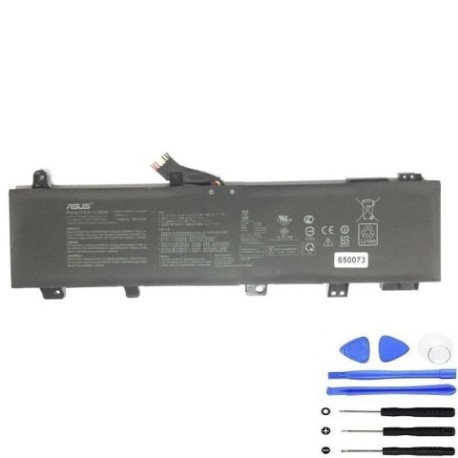
Introduction
Keep your ASUS TUF Gaming laptop performing at its best with genuine replacement batteries. The C41N1906 series batteries provide reliable power for intensive gaming sessions and everyday computing across multiple TUF Gaming models available in Australia and New Zealand.
Common signs you need a replacement
| Symptoms | Causes | Verification | Recommendation |
|---|---|---|---|
| Battery drains quickly (under 1 hour) | Ageing cells, high cycles | Check battery health in Windows | Consider replacement if under 80% capacity |
| Laptop shuts down unexpectedly | Voltage drops under load | Monitor during gaming | Replace if frequent during use |
| Battery won’t charge fully | Charging circuit issues | Check charging indicator | Test with different charger first |
| Laptop bulging or swollen | Gas buildup in cells | Visual inspection | Replace immediately – safety risk |
| Overheating during charging | Internal resistance increase | Feel battery temperature | Replace if consistently hot |
How to check compatibility
Locate your laptop’s model number on the bottom label or under the battery compartment. For ASUS TUF Gaming models, check both the series (FA506, FX506, etc.) and specific variant. Use ASUS’s official support website with your serial number for precise battery compatibility. Many Australian service centres can verify compatibility using your laptop’s service tag.
When to replace
Replace your battery when it holds less than 60% of its original capacity, shows physical damage, or causes system instability. Most gaming laptop batteries last 2-3 years with regular use. Consider replacement before important travel or events to avoid power issues.
Installation guide (overview)
Power off and unplug your laptop. Remove the bottom panel using appropriate screwdrivers. Disconnect the old battery connector carefully. Install the new C41N1906 battery, ensuring proper connector alignment. Reassemble and perform initial charge cycle. Always consult your laptop’s service manual or seek professional installation from authorised Australian service centres.
Usage & care tips
Avoid frequent full discharges – charge between 20-80% for daily use. Store at room temperature (15-25°C) away from direct sunlight. Use original ASUS chargers for optimal performance. Calibrate monthly by fully charging then discharging to maintain accuracy. For gaming, keep laptop on power where possible to preserve battery cycles.
Safety & recycling in AU/NZ
Never attempt to open or modify lithium-ion batteries. Dispose of old batteries at authorised recycling centres – most electronics retailers in Australia and New Zealand offer free battery recycling. Do not dispose in household waste due to fire risk and environmental regulations.
FAQ
How long does delivery take in Australia?
Typically 3-7 business days depending on location.
Is this battery genuine ASUS?
Yes, these are original specification batteries compatible with ASUS TUF Gaming models.
What warranty is provided?
12-month warranty covering manufacturing defects.
Can I install this myself?
Yes with technical skill, but professional installation is recommended.
Will this work with my NZ power adapter?
Yes, compatible with standard 230V NZ power systems.
How do I check my current battery health?
Use Windows Battery Report or ASUS Battery Health Charging software.
What if my model isn’t listed?
Contact customer support with your exact model number for verification.