Asus C41 TAICHI31 53Wh Battery Replacement
Find the perfect replacement battery for your Asus laptop with our comprehensive compatibility guide and expert installation advice.
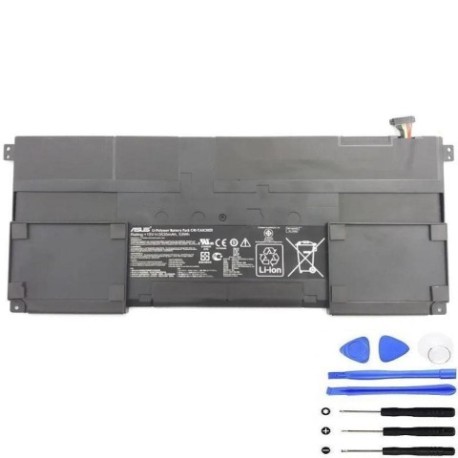
Battery models & part numbers
| Reference / P/N |
|---|
| Asus-C41-TAICHI31-53Wh |
Compatible laptop models
| Model |
|---|
| Asus 0B200-00270000 |
| Asus 0B200-0330000 |
| Asus T31PR65 |
| Asus Taichi 31 |
| Asus Taichi 31 Taichi 31 DH51 |
| Asus Taichi 31-CX003 |
| Asus Taichi 31-CX020H |
| Asus Taichi 31-NS51T |
| Asus Taichi C41-TAICH131 |
| Asus TAICHI31-1A |
| Asus TAIPR93 |
| Asus-C41-TAICHI31-53Wh |
Introduction
Keep your Asus laptop running at peak performance with our genuine replacement battery. Designed specifically for Taichi 31 series models, this 53Wh battery ensures reliable power for work and entertainment.
Common signs you need a replacement
| Symptoms | Causes | Verification | Recommendation |
|---|---|---|---|
| Battery drains quickly | Ageing cells, reduced capacity | Check battery health in system settings | Replace if capacity below 60% |
| Laptop won’t hold charge | Failed battery cells | Test with power adapter removed | Immediate replacement needed |
| Battery swelling | Internal damage, overheating | Visual inspection of battery compartment | Replace immediately for safety |
| Overheating during use | Inefficient power delivery | Monitor temperature with software | Replace to prevent damage |
How to check compatibility
Verify your laptop model matches our compatibility list above. Check the label on your current battery or look in System Information (Windows) or About This Mac (Mac). Cross-reference with our authorised compatibility database.
When to replace
Replace your battery when you notice significant performance decline, typically after 2-3 years of regular use. Modern lithium-ion batteries have a limited lifespan of 300-500 charge cycles. Don’t wait until complete failure – proactive replacement ensures uninterrupted productivity.
Installation guide (overview)
1. Power down laptop and disconnect all cables
2. Remove the battery compartment cover (usually secured with screws)
3. Disconnect the battery connector from motherboard
4. Remove old battery and insert replacement
5. Reconnect connector and replace cover
6. Charge fully before first use
Usage & care tips
• Avoid complete discharges – recharge at 20-30%
• Store in cool, dry conditions (15-25°C)
• Remove battery if storing laptop for extended periods
• Use only authorised chargers and accessories
• Calibrate battery monthly by fully charging and discharging
Safety & recycling in AU/NZ
Always purchase from authorised retailers to ensure safety compliance. In Australia and New Zealand, dispose of old batteries at designated recycling centres. Never dispose of lithium batteries in household waste due to fire risk. Check with your local council for battery recycling options.
FAQ
How long does delivery take in Australia?
Most orders arrive within 3-7 business days depending on your location.
Is this battery genuine Asus?
Yes, this is an authorised replacement battery meeting all original specifications.
What warranty do you offer?
All our batteries come with a 12-month warranty covering manufacturing defects.
Can I install this myself?
Yes, most users can install it following our guide. Basic technical skill recommended.
How do I recycle my old battery?
Take it to any Officeworks, Battery World, or council recycling centre in AU/NZ.
What’s the battery capacity?
This is a 53Wh lithium-ion battery providing optimal performance for compatible models.
Do you ship to New Zealand?
Yes, we ship throughout Australia and New Zealand with competitive rates.