Battery models & part numbers
| Reference / P/N |
|---|
| Asus 0B200-02350100 |
| Asus BU404U |
| Asus C41N1619 |
| Asus C41N1619-48Wh |
| Asus C41PkCH |
| Asus Pro B9440FA |
| Asus Pro B9440UA |
Compatible models
| Model |
|---|
| Asus 0B200-02350100 |
| Asus BU404U |
| Asus C41N1619 |
| Asus C41PkCH |
| Asus Pro B9440FA |
| Asus Pro B9440UA |
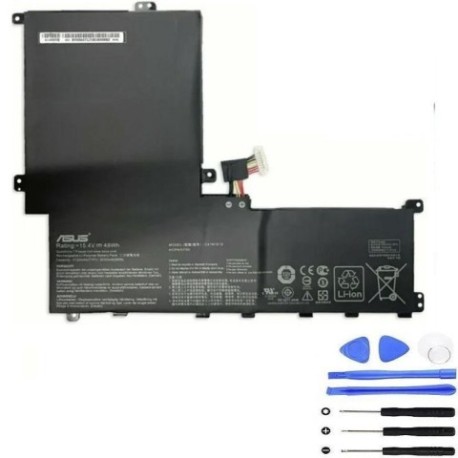
Introduction
If your ASUS laptop is experiencing battery issues, the C41N1619 48Wh replacement battery is designed specifically for your device. This high-quality battery ensures optimal performance and extended usage time for compatible ASUS models commonly used across Australia and New Zealand.
Common signs you need a replacement
| Symptoms | Causes | Verification | Recommendation |
|---|---|---|---|
| Battery drains quickly | Ageing battery cells | Check battery health in system settings | Consider replacement if capacity below 70% |
| Laptop won’t hold charge | Degraded battery chemistry | Monitor charge retention over 24 hours | Replace if unable to maintain charge |
| Battery swelling | Internal pressure buildup | Visual inspection of battery compartment | Immediate replacement required for safety |
| Overheating during use | Inefficient power delivery | Check temperature with monitoring software | Replace if consistently exceeding 45°C |
| Random shutdowns | Voltage instability | Monitor system logs for power events | Replace if occurring at moderate charge levels |
How to check compatibility
To verify your ASUS laptop’s compatibility with the C41N1619 48Wh battery, locate the model number on the bottom casing or under the battery compartment. For ASUS devices, you can also check system information through the BIOS or use the MyASUS app available from the Microsoft Store. Cross-reference your model with our compatibility table above, and if uncertain, contact ASUS authorised service centres in Australia or New Zealand for confirmation.
When to replace
Replace your ASUS battery when it no longer holds sufficient charge for your daily needs, shows physical damage or swelling, or causes system instability. Most lithium-ion batteries last 2-3 years with regular use. If your laptop shuts down unexpectedly at 20-30% charge or the battery health shows significant degradation in system diagnostics, it’s time for a replacement.
Installation guide
For ASUS models compatible with the C41N1619 battery, first ensure the laptop is powered off and disconnected from any power source. Remove the bottom panel using the appropriate screwdriver (typically Phillips #00). Locate the battery connector and gently disconnect it from the motherboard. Remove any securing screws or brackets, then lift the battery out. Install the new C41N1619 battery, reconnect all cables securely, and reassemble the laptop. Always handle batteries with care to avoid short circuits.
Usage & care tips
To maximise your ASUS battery’s lifespan, avoid frequent full discharges and instead maintain charge between 20-80% for daily use. Store your laptop in temperatures between 10-35°C and avoid leaving it in direct sunlight or hot vehicles. Calibrate your battery monthly by allowing a full discharge followed by a complete recharge. Use only ASUS-authorised chargers to ensure proper voltage regulation.
Safety & recycling in AU/NZ
In Australia and New Zealand, lithium-ion batteries must be disposed of responsibly through authorised recycling programmes. Never dispose of batteries in household waste due to fire risk. Many electronics retailers offer free battery recycling services, or you can contact your local council for designated drop-off locations. Damaged or swollen batteries should be handled with extreme care and taken to professional recycling centres immediately.
FAQ
How long does the C41N1619 battery last on a single charge?
Depending on usage and laptop model, expect 4-6 hours of typical use with the 48Wh capacity.
Is this battery compatible with my ASUS laptop purchased in New Zealand?
Yes, the C41N1619 is designed for international ASUS models and works with devices sold in both Australia and New Zealand.
Do I need any special tools for installation?
Basic precision screwdrivers are typically sufficient for most ASUS laptop battery replacements.
Will replacing the battery void my warranty?
If your laptop is still under manufacturer warranty, check with ASUS authorised service centres first. Self-installation may affect warranty coverage.
How can I verify my battery is genuine?
Purchase from authorised retailers and check for proper ASUS branding and security labels on the battery packaging.
What should I do with my old battery?
Take it to any electronics retailer or council recycling centre that accepts lithium-ion batteries.
Can I use this battery if my original had a different part number?
Yes, as long as your laptop model appears in the compatibility list above, the C41N1619 is designed as a direct replacement.