Lenovo L12M4P21 54Wh Battery Replacement Guide
Find the perfect replacement battery for your Lenovo laptop with our comprehensive compatibility guide and expert installation advice.
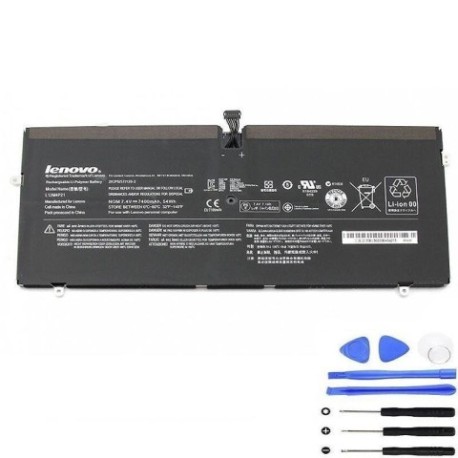
Battery models & part numbers
| Reference / P/N |
|---|
| Lenovo-L12M4P21-54Wh |
Compatible laptop models
| Model |
|---|
| Lenovo 121500225 |
| Lenovo 35012654 |
| Lenovo L13S4P21 |
| Lenovo Yoga 2 Pro 13 |
| Lenovo Yoga 2 Pro 13 (20266) |
| Lenovo Yoga 2 Pro 13 (59386544) |
| Lenovo Yoga 2 Pro 13 (59386549) |
| Lenovo Yoga 2 Pro 13 (59425502) |
| Lenovo Yoga 2 Pro 13 Y50-70AM-IF |
| Lenovo Yoga 2 Pro 13 Y50-70AS-IS 121500156 |
| Lenovo Yoga 2 Pro 13 Y50-70AS-ISE |
Introduction
Welcome to your complete guide for replacing the Lenovo L12M4P21 54Wh battery. This high-quality replacement battery is designed specifically for various Lenovo Yoga 2 Pro 13 models and ensures optimal performance and safety.
Common signs you need a replacement
| Symptom | Cause | Verification | Recommendation |
|---|---|---|---|
| Battery drains quickly | Ageing battery cells | Check battery health in system settings | Consider replacement if under 2 hours runtime |
| Laptop won’t hold charge | Failed battery circuitry | Test with different power adapter | Replace battery immediately |
| Battery swelling | Internal chemical breakdown | Visual inspection of battery case | Stop using and replace urgently |
| Overheating during use | Inefficient battery operation | Monitor temperature with software | Replace if consistently over 45°C |
How to check compatibility
To ensure the Lenovo L12M4P21 54Wh battery is compatible with your laptop:
- Check your laptop’s model number on the bottom case or in system information
- Compare with our comprehensive compatibility list above
- Verify the physical dimensions match your current battery (typically around 210mm x 70mm x 5mm)
- Confirm the connector type and pin configuration matches
When to replace
Replace your laptop battery when you notice significant performance degradation, typically after 2-3 years of regular use. Other indicators include the battery not charging to 100%, sudden shutdowns at higher charge levels, or visible physical damage to the battery casing.
Installation guide (overview)
Replacing your Lenovo battery is straightforward with these basic steps:
- Power off your laptop and disconnect all cables
- Remove the bottom cover screws (usually 8-10 screws)
- Gently lift the bottom cover to access the battery
- Disconnect the battery connector from the motherboard
- Remove any securing screws holding the battery in place
- Install the new Lenovo L12M4P21 54Wh battery
- Reconnect the battery connector and replace the bottom cover
- Charge fully before first use
Usage & care tips
Maximise your battery’s lifespan with these expert tips:
- Avoid frequent full discharges – try to keep battery between 20-80%
- Store in cool, dry conditions (15-25°C ideal)
- Use authorised Lenovo power adapters for charging
- Calibrate your battery every 2-3 months by doing a full charge/discharge cycle
- Remove battery if storing laptop for extended periods
Safety & recycling in AU/NZ
In Australia and New Zealand, laptop batteries must be disposed of responsibly:
- Never dispose of batteries in household waste
- Use authorised battery recycling centres
- Check with your local council for battery recycling programs
- Many electronics retailers offer free battery recycling services
- Damaged or swollen batteries should be handled with care and recycled immediately
FAQ
How long does the Lenovo L12M4P21 54Wh battery last?
With normal use, expect 2-4 hours of runtime depending on your usage patterns and laptop settings.
Is this battery genuine Lenovo?
This is a high-quality replacement battery designed to meet or exceed original specifications and is fully compatible with listed Lenovo models.
Do you offer warranty on this battery?
Yes, we provide a comprehensive warranty – check the product page for specific warranty terms and duration.
How do I know if my battery needs replacing?
Common signs include rapid discharge, inability to hold charge, swelling, or your laptop not powering on without the charger connected.
Can I install this battery myself?
Yes, most users can install it following our guide. If unsure, consult a professional technician.
How should I dispose of my old battery in Australia?
Take it to an authorised battery recycling centre or check with your local council for disposal options.
Will this battery work with my specific Yoga 2 Pro model?
Check the compatibility table above – if your exact model is listed, it will be fully compatible.