Battery models & part numbers
| Reference / P/N |
|---|
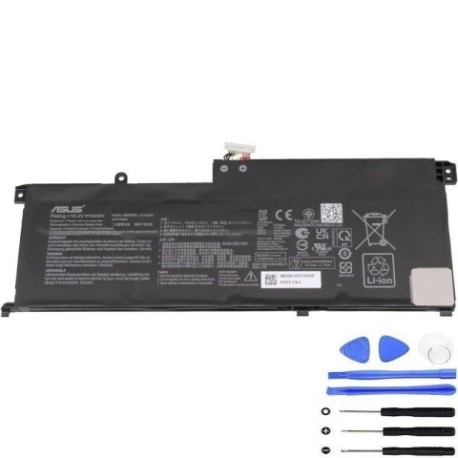
| Asus-C41N2002-64Wh |
Compatible models
| Model |
|---|
| Asus 0B200-03770100 |
| Asus UM535QA |
| Asus UX535QE |
| Asus ZenBook Pro 15 UM535QA |
| Asus ZenBook Pro 15 UM535QE |
| Asus ZenBook Pro 15 UX535LH |
| Asus ZenBook Pro 15 UX535LI |
Introduction
If your Asus ZenBook Pro 15 is showing signs of battery fatigue, the genuine Asus C41N2002 64Wh replacement battery restores optimal performance. This high-capacity battery is specifically designed for compatibility with multiple ZenBook Pro 15 variants available in the Australian and New Zealand markets.
Common signs you need a replacement
| Symptoms | Causes | Verification | Recommendation |
|---|---|---|---|
| Short battery life (under 2 hours) | Battery degradation over time | Check battery health in Windows settings | Consider replacement if capacity below 60% |
| Laptop shuts down unexpectedly | Voltage instability | Monitor battery percentage drops | Replace battery to prevent data loss |
| Battery won’t charge fully | Charging circuit issues | Check charging indicator lights | Test with different charger first |
| Laptop bulging or swelling | Battery cell failure | Visual inspection of laptop base | Immediate replacement required |
| Overheating during use | Inefficient power delivery | Monitor temperature with software | Replace to prevent damage |
How to check compatibility
To ensure the Asus C41N2002 64Wh battery fits your device, locate your exact model number. Check the bottom casing sticker, original packaging, or system information in Windows (Settings > System > About). For ZenBook Pro 15 models, verify it matches one of the compatible models listed above. You can also use Asus’s official support website with your serial number for precise compatibility confirmation.
When to replace
Replace your battery when it holds less than 50% of its original capacity, shows physical damage, or causes system instability. Most laptop batteries need replacement after 2-3 years of regular use. For business users in AU/NZ, consider proactive replacement before critical work periods to avoid disruptions.
Installation guide (overview)
Power off your laptop and disconnect all cables. Remove the bottom cover screws (typically Phillips #0 or #1). Carefully disconnect the old battery connector from the motherboard. Remove any securing screws or adhesive strips. Install the new C41N2002 battery, reconnect the connector, and reassemble. Always use proper anti-static precautions and refer to official Asus service guides for detailed instructions.
Usage & care tips
For optimal battery life in AU/NZ conditions: Avoid extreme temperatures (ideal range 15-25°C), don’t leave your laptop plugged in constantly, perform regular calibration cycles (full discharge/charge monthly), and store in cool, dry conditions when not in use. Keep battery between 20-80% charge for daily use to maximise lifespan.
Safety & recycling in AU/NZ
Battery safety is crucial. Never puncture or expose batteries to fire. In Australia and New Zealand, dispose of old laptop batteries responsibly through authorised e-waste recycling centres like TechCollect (AU) or eDay collections (NZ). Many electronics retailers offer free battery recycling services. Never dispose of in household waste due to environmental regulations.
FAQ
How long does shipping take to AU/NZ?
Typically 7-14 business days depending on your location and customs clearance.
Is this battery genuine Asus?
Yes, this is the original Asus C41N2002 part with full compatibility.
What warranty is provided?
Most suppliers offer 12-24 months warranty for AU/NZ customers.
Can I install this myself?
Yes, with basic technical skills and proper tools. Professional installation is recommended if unsure.
Will this improve my laptop’s performance?
Yes, a new battery restores original runtime and prevents performance throttling.
How do I recycle my old battery in Australia?
Use free drop-off points at Officeworks, JB Hi-Fi, or council recycling centres.
Is overnight charging safe?
Modern laptops have protection circuits, but occasional overnight charging is preferable to daily practice.