HP CD03XL 48Wh Laptop Battery Replacement
Is your HP ProBook struggling to hold charge? Our genuine HP CD03XL 48Wh replacement battery restores your laptop’s mobility and performance. Authorised for Australian and New Zealand markets with full compatibility assurance.
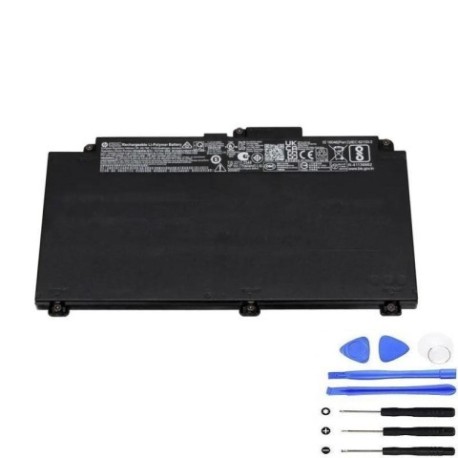
Battery models & part numbers
| Reference / P/N |
|---|
| HP 931702-171 |
| HP 931719-850 |
| HP CD03 |
| HP CD03XL-48Wh |
| HP HSTNN-IB8B |
Compatible laptop models
| Model |
|---|
| HP ProBook 640 G4s |
| HP ProBook 640 G5s |
| HP ProBook 645 G4s |
| HP ProBook 650 G4s |
| HP ProBook 650 G5s |
| HP ProBook 650 G7s |
Introduction
The HP CD03XL 48Wh battery is designed specifically for HP ProBook business laptops commonly used in Australian and New Zealand workplaces. This high-quality replacement ensures your device maintains optimal performance throughout the workday.
Common signs you need a replacement
| Symptom | Cause | Verification | Recommendation |
|---|---|---|---|
| Battery drains in under 1 hour | Ageing cells, reduced capacity | Check battery health in Windows | Replace if capacity below 60% |
| Laptop shuts down unexpectedly | Voltage drops under load | Monitor during intensive tasks | Immediate replacement needed |
| Battery won’t charge past 80% | Battery protection mode | Reset battery in BIOS | Replace if issue persists |
| Battery swelling or overheating | Internal damage, safety risk | Visual inspection, temperature check | Replace immediately, stop use |
How to check compatibility
Verify your laptop’s compatibility by checking the model number on the bottom casing or in System Information. Cross-reference with our compatibility tables above. For additional confirmation, remove your current battery and match the part number with those listed.
When to replace
Replace your HP battery when it holds less than 60% of its original capacity, shows physical damage, causes unexpected shutdowns, or is over 2-3 years old with regular use. Most HP ProBook batteries last 300-500 charge cycles before significant degradation.
Installation guide (overview)
1. Power off laptop and disconnect charger
2. Flip laptop over and locate battery release latches
3. Slide latches to unlock position
4. Carefully lift battery out of compartment
5. Align new battery connectors and press into place
6. Slide latches back to locked position
7. Charge fully before first use
Usage & care tips
• Avoid complete discharges – recharge at 20-30%
• Store at room temperature (15-25°C)
• Calibrate monthly by fully charging then discharging
• Use original HP charger for optimal performance
• Remove battery if using laptop plugged in for extended periods
Safety & recycling in AU/NZ
In Australia and New Zealand, lithium-ion batteries must be recycled responsibly. Do not dispose of in household waste. Use authorised battery recycling centres like Battery World, Officeworks, or council e-waste programs. Damaged or swollen batteries pose fire risk – handle with care and recycle immediately.
FAQ
How long does shipping take in Australia?
Most metro areas receive orders within 2-3 business days. Regional areas may take 3-5 business days.
Is this battery genuine HP?
Yes, all our HP batteries are genuine OEM parts with full manufacturer warranty.
What warranty do you offer?
All HP batteries come with 12 months warranty covering defects and premature failure.
Can I use this battery in New Zealand?
Yes, this battery is compatible with both Australian and New Zealand voltage standards.
How do I check my current battery health?
In Windows, open Command Prompt and type “powercfg /batteryreport” to generate a detailed battery health analysis.
What if my laptop model isn’t listed?
Contact our support team with your laptop’s exact model number for compatibility verification.
Do you offer installation services?
While we provide detailed guides, we recommend professional installation at authorised HP service centres for warranty purposes.