Battery models & part numbers
| Reference / P/N |
|---|
| 628367-221 |
| 628368-241 |
| 628368-242 |
| 628368-251 |
| 628368-252 |
| 628368-321 |
| 628368-351 |
| 628368-352 |
| 628368-421 |
| 628368-542 |
| 628369-221 |
| 628369-241 |
| 628369-321 |
| 628369-341 |
| 628369-541 |
| 628370-421 |
| 628370-541 |
| 628668-001 |
| 628670-001 |
| 631243-001 |
| 658997-541 |
| 659083-001 |
| CC06051-CL |
| HSTNN-DB2E |
| HSTNN-DB2F |
| HSTNN-DB2H |
| HSTNN-F08C |
| HSTNN-F11C |
| HSTNN-F12C |
| HSTNN-I07C |
| HSTNN-I90C |
| HSTNN-I91C |
| HSTNN-LB21 |
| HSTNN-LB2F |
| HSTNN-LB2G |
| HSTNN-LB2H |
| HSTNN-LB2I |
| HSTNN-OB2E |
| HSTNN-OB2F |
| HSTNN-OB2G |
| HSTNN-OB2H |
| HSTNN-OB2N |
| HSTNN-UB21 |
| HSTNN-UB2G |
| HSTNN-UB2I |
| HSTNN-W81C |
| HSTNN-XB2G |
| HSTNN-XB2N |
| HSTNN-XB2O |
| HP-CC06XL-55Wh |
| QK642AA |
| QK643AA |
Compatible laptop models
| Model |
|---|
| HP EliteBook 8460ps |
| HP EliteBook 8470ps |
| HP EliteBook 8470ws |
| HP EliteBook 8560ps |
| HP EliteBook 8570ps |
| HP ProBook 6360bs |
| HP ProBook 6460bs |
| HP ProBook 6465bs |
| HP ProBook 6470bs |
| HP ProBook 6475bs |
| HP ProBook 6560bs |
| HP ProBook 6570bs |
Introduction
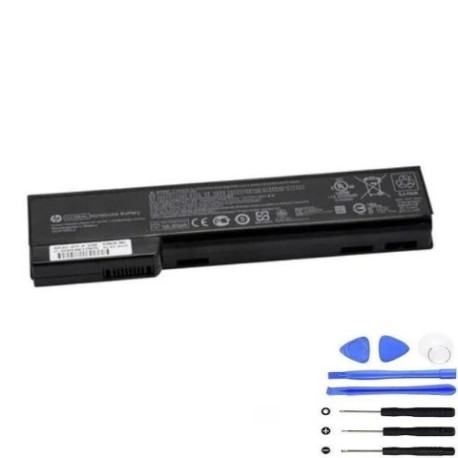
Keep your HP laptop running smoothly with the HP CC06XL 55Wh battery. This replacement is authorised for a wide range of EliteBook and ProBook models in Australia and New Zealand.
Common signs you need a replacement
| Symptom | Cause | How to check | Recommendation |
|---|---|---|---|
| Short battery life | Ageing cells | Check power settings | Consider replacement |
| Laptop won’t hold charge | Battery degradation | Test with power cord | Replace battery |
| Swelling or overheating | Internal damage | Visual inspection | Replace immediately |
| Unexpected shutdowns | Power delivery issues | Monitor usage | Check compatibility |
How to check compatibility
Match your laptop model or part number with the lists above. For accuracy, check the label on your old battery or use HP’s online support centre.
When to replace
Replace your battery if it shows signs of failure, is over 2–3 years old, or no longer holds a sufficient charge for your needs.
Installation guide (overview)
Power off your laptop, remove the old battery, align the new one correctly, and secure it. Always follow the manufacturer’s safety guidelines.
Usage & care tips
Avoid extreme temperatures (ideal range 10–35°C), don’t fully discharge regularly, and store in a cool, dry place when not in use.
Safety & recycling in AU/NZ
Dispose of old batteries at authorised recycling centres. Never incinerate or dismantle batteries—this is crucial for safety and environmental care.
FAQ
Is this battery genuine?
Yes, it’s an authorised replacement meeting original specifications.
What’s the warranty?
Check the product page for current warranty details—typically 12–24 months.
How long does shipping take?
Fast delivery options are available across Australia and New Zealand.
Can I install it myself?
Yes, most users find it straightforward; refer to the guide above.
What if my model isn’t listed?
Double-check your part number or contact support for assistance.
How do I maximise battery life?
Keep it between 20–80% charge and avoid high temperatures.
Is recycling free?
Yes, many centres offer free battery recycling services.