Battery models & part numbers
| Reference / P/N |
|---|
| 694398-1B1 |
| 694398-1C1 |
| 694398-2C1 |
| 694501-001 |
| ADW02C |
| DA02021XL |
| DW02 |
| DW0202 |
| DW02025XL-PL |
| HP-DW02XL-25Wh |
| HSTNN-DB4B |
| HSTNN-IB4B |
| TPN-P104 |
Compatible laptop models
| Model |
|---|
| HP Envy x2 11 |
| HP Envy x2 11-g000 |
| HP Envy x2 11T-g000 |
Introduction
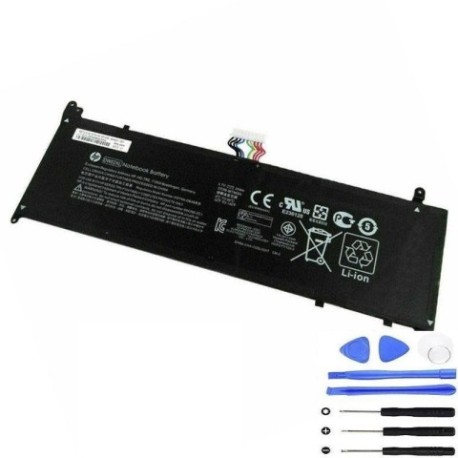
Keep your HP laptop running smoothly with our genuine replacement battery. This HP DW02XL 25Wh battery is designed specifically for compatible HP Envy x2 models and delivers reliable performance for work and study.
Common signs you need a replacement
| Symptoms | Causes | Verification | Recommendation |
|---|---|---|---|
| Battery drains quickly | Ageing cells, reduced capacity | Check battery health in system settings | Consider replacement if under 50% capacity |
| Laptop shuts down unexpectedly | Voltage drops, unstable power | Monitor battery percentage during use | Replace immediately for data safety |
| Battery won’t hold charge | Failed cells, internal damage | Test with different power adapters | Replace to restore functionality |
| Battery swelling or overheating | Chemical degradation, safety risk | Visual inspection, temperature check | Replace urgently – safety hazard |
| Charging indicator issues | Connection problems, circuit faults | Check charging port and cable | Replace if battery-related |
How to check compatibility
Verify your laptop model matches our compatibility list above. Check your current battery’s part number (usually printed on the battery) against our reference numbers. For HP Envy x2 11 series laptops, this battery is specifically designed for your device.
When to replace
Replace your battery when it shows significant capacity loss (typically after 2-3 years), won’t hold a charge, shows physical damage, or causes system instability. Regular Australian/New Zealand climate conditions can accelerate battery wear.
Installation guide (overview)
1. Power off laptop and disconnect charger
2. Remove bottom panel screws
3. Carefully disconnect old battery connector
4. Remove old battery and insert replacement
5. Reconnect connector and reassemble
6. Charge fully before first use
Usage & care tips
• Avoid extreme temperatures (store between 15-25°C)
• Don’t leave laptop plugged in constantly
• Perform partial discharges rather than full cycles
• Store with 40-60% charge if not using for extended periods
• Keep battery contacts clean and dry
Safety & recycling in AU/NZ
In Australia and New Zealand, lithium-ion batteries must be recycled properly. Never dispose of batteries in household waste. Use authorised battery recycling centres or return to electronics retailers. Damaged or swollen batteries should be handled with care and recycled immediately.
FAQ
How long does this battery last?
Typically 2-3 years with normal use, depending on usage patterns and charging habits.
Is this battery genuine HP?
Yes, this is a genuine HP replacement battery with all original specifications.
Will this work with my HP Envy x2 11?
Yes, this battery is specifically compatible with HP Envy x2 11 series laptops as listed.
How do I check my current battery health?
Use Windows Battery Report or check power settings to see current capacity and health status.
What’s the warranty period?
This battery comes with standard manufacturer warranty – check product page for current terms.
Can I install this myself?
Yes, with basic technical skills. Follow our installation guide or seek professional help if unsure.
Where can I recycle my old battery?
Most electronics retailers in Australia and New Zealand accept battery recycling, or check your local council’s e-waste program.