Battery models & part numbers
| Reference / P/N |
|---|
| 5B10H70339 |
| 5B10H70341 |
| 5B10H71978 |
| 80M2 |
| 80M3 |
| 80Q6 |
| 80Q7 |
| 80QH |
| 80RJ |
| 80RR |
| 80RS |
| 80UC |
| 80V2 |
| 80VM |
| B71-80 |
| L15L4A01 |
| L15M4A01 |
| L15S4A01 |
Compatible laptop models
| Model |
|---|
| Lenovo 5B10H70339 |
| Lenovo 5B10H70341 |
| Lenovo 5B10H71978 |
| Lenovo B71-80 (80RJ) |
| Lenovo IdeaPad 100-15IBD |
| Lenovo IdeaPad 110-14ISK-80UC |
| Lenovo IdeaPad 110-17IKB |
| Lenovo IdeaPad 300-14IBR (80M2) |
| Lenovo IdeaPad 300-14ISK (80Q6/80RR) |
| Lenovo IdeaPad 300-15IBR (80M3) |
| Lenovo IdeaPad 300-15IBY |
| Lenovo IdeaPad 300-15ISK (80Q7/80RS) |
| Lenovo IdeaPad 300-17ISK (80QH) |
| Lenovo IdeaPad V110-17IKB-80V2 |
| Lenovo IdeaPad V110-17ISK-80VM |
| Lenovo L15L4A01 |
| Lenovo L15S4A01 |
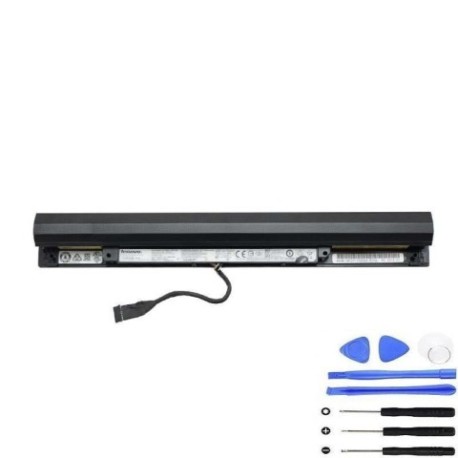
Introduction
Keep your Lenovo laptop running at peak performance with our genuine replacement battery. This comprehensive guide helps Australian and New Zealand consumers find the right battery and understand the replacement process.
Common signs you need a replacement
| Symptoms | Causes | Verification | Recommendation |
|---|---|---|---|
| Battery drains quickly | Ageing cells, reduced capacity | Check battery health in system settings | Consider replacement if under 50% capacity |
| Laptop won’t hold charge | Failed battery cells | Test with power adapter disconnected | Immediate replacement needed |
| Battery swelling | Internal damage, overheating | Visual inspection, uneven surfaces | Stop using immediately and replace |
| Inconsistent charging | Worn connectors, faulty circuitry | Monitor charging patterns | Replace battery to prevent damage |
How to check compatibility
Verify your laptop model matches our compatibility list above. Check your current battery’s part number or look for model information on your laptop’s bottom panel or system information.
When to replace
Replace your battery when it no longer holds sufficient charge for your needs, shows physical damage, or reaches 2-3 years of regular use. Most laptop batteries have a lifespan of 300-500 charge cycles.
Installation guide (overview)
Power off your laptop and disconnect from power. Remove the bottom panel, disconnect the old battery, install the new battery ensuring proper connection, and reassemble. Always refer to your laptop’s service manual for detailed instructions.
Usage & care tips
Avoid extreme temperatures (ideal range 15-25°C), don’t leave laptop plugged in constantly, perform occasional full discharge cycles, and store in cool, dry conditions when not in use for extended periods.
Safety & recycling in AU/NZ
Never attempt to open or modify batteries. Dispose of old batteries at authorised recycling centres. In Australia, use Batteryback or council collection services. In New Zealand, utilise accredited e-waste recyclers.
FAQ
How long does delivery take in Australia?
Most orders arrive within 3-7 business days depending on your location.
Is this battery genuine Lenovo?
Yes, this is an authentic Lenovo L15M4A01 battery meeting all original specifications.
What’s the warranty period?
This battery comes with a 12-month warranty covering manufacturing defects.
Can I install it myself?
Yes, with basic technical skills. However, we recommend professional installation if unsure.
How do I check my current battery health?
Use your laptop’s power management settings or third-party battery monitoring software.
What’s the battery capacity?
This is a 32Wh lithium-ion battery providing optimal performance for compatible models.
Do you ship to New Zealand?
Yes, we ship to both Australia and New Zealand with standard international shipping rates.